Picture this. Your organic traffic dipped last month. One report says rankings dropped. Another lists 214 technical warnings. A third shows a competitor picking up backlinks. You’ve got plenty of data and no idea where to start.
That’s what SEO tools are for, and it’s also where they cause the most confusion.
SEO tools are software and web services that collect, organize and monitor information for jobs like keyword research, competitor research, technical SEO, website audits, backlink analysis, rank tracking and content research. They tell you what’s happening. They don’t tell you what to do about it. That part is still your call.
This guide covers what SEO tools are, what each type does, what their numbers can and can’t tell you, how to choose one, and how AI is changing things.
What Are SEO Tools?
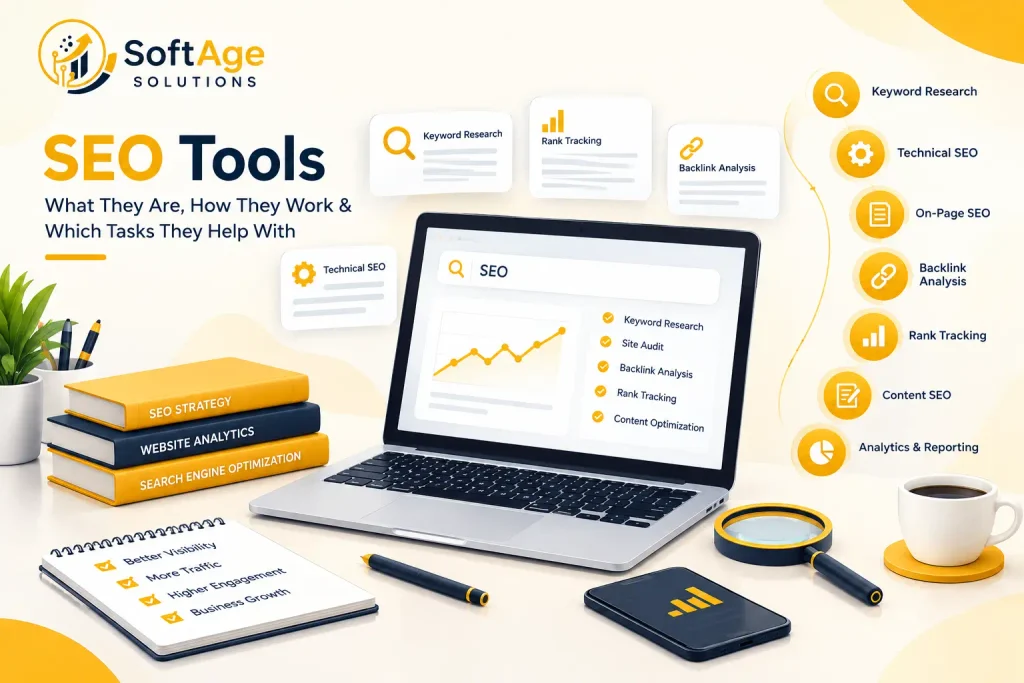
SEO tools are programs that gather and analyze data about how a website shows up in search engines. You use them to find keyword ideas, spot technical problems, track rankings, check backlinks and see what competitors are doing.
Sometimes they’re called search engine optimization tools. You’ll also hear a few related terms, and they mean slightly different things:
- SEO software or an SEO platform is a bigger product that covers many tasks in one login.
- SEO analysis tools are a loose label for anything that examines a site, a page or a search result.
- A site crawler or website auditing tool visits your pages like a search engine would and reports what it finds.
- Keyword research tools estimate demand and suggest related searches.
- Rank tracking tools record where your pages appear over time.
- Backlink analysis tools collect data about links pointing to a site.
Some products do one job. Others bundle everything. A single SEO tool rarely covers every task well, which is why many professionals end up with a small SEO toolkit made of several products.
Why Are SEO Tools Used?
Because doing it by hand doesn’t work past a certain size. Checking 200 keywords in three cities every week from a browser isn’t realistic. Neither is clicking through 5,000 URLs looking for broken links.
People use SEO tools to:
- Find keyword opportunities and gauge search demand
- Catch technical problems like blocked pages or broken links
- Watch rankings and search visibility over time
- Review backlinks and see who links to them
- Study what competing pages cover
- Check page speed and website performance
- Find content gaps
- Spot sudden changes after a site update
Tools make that work faster. They don’t make the decisions. Hand the same report to two people and you can get two very different action plans, depending on how well each one understands the business.
Types of SEO Tools
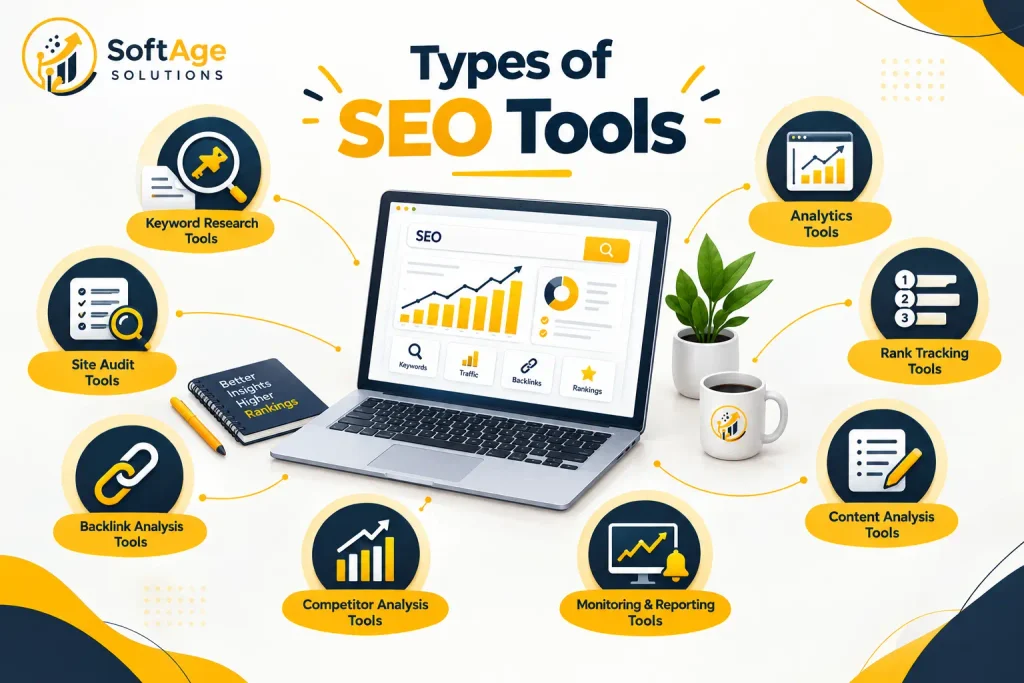
The easiest way to understand SEO tools is by the job they do. Categories overlap, and plenty of products straddle several.
Keyword Research Tools
These show how people search and how often. Typical data includes:
- Keyword ideas and suggestions based on a seed phrase
- Search volume, an estimate of how often a term is searched
- Keyword difficulty, a score for how hard ranking might be
- Search intent, meaning whether people want to learn, compare, buy or find a specific site
- Related keywords and long tail keywords, such as “technical SEO audit checklist for small websites”
- CPC and competition, taken from paid search
Keyword competition tells you how many advertisers or sites are chasing a term, which helps you judge whether it’s realistic for you.
Here’s the part people skip. These numbers are estimates, and every platform calculates them differently. The same keyword can show two different volumes in two tools. Use the figures to compare options inside one tool, not as facts.
Technical SEO Tools
Technical SEO tools check whether search engines can reach, read and index your site. A site crawler can report:
- Crawling and crawlability problems
- Indexing and indexability issues
- Broken links and redirect chains
- Canonical tags and canonical URLs
- XML sitemap errors
- Robots.txt rules that block pages by accident
- Duplicate content
- Page speed and Core Web Vitals
- Crawl errors
A crawl is usually the first step of an SEO audit. Then a person reviews what it found. A crawler might tell you 40 product pages sit behind a redirect loop. It can’t tell you whether those products still matter to the business.
On Page SEO Tools
On-page SEO tools look at what’s on a page and how it’s built:
- Title tags and meta descriptions, including length and duplicates
- Headings and content structure
- Internal links
- Keyword usage and keyword placement
- Image SEO, like file size and alt text
- URL structure
They’re great at catching missing or duplicated elements across hundreds of pages. They’re not great at judging whether the writing helps a reader.
Semantic SEO means covering a topic with related terms and clear context instead of repeating one phrase. Many on-page tools now report on it. Content optimization suggestions work best when a writer reads them critically instead of following them blindly.
Backlink Analysis Tool
Backlinks are links from other sites to yours. Backlink analysis tools keep their own databases of links found across the web and let you check:
- Who links to a page or domain
- Referring domains, meaning how many unique sites link to you
- Anchor text, the clickable words in a link
- New and lost links
- Competitor backlinks and their overall link profile
A backlink checker is the simplest version. It lists links pointing to a URL and where they come from.
No database has every link on the web, so totals differ between tools. This data helps with off-page SEO and link building research, but a raw link count says little about link quality.
Rank Tracking Tools
Rank tracking tools record where your pages appear for chosen keywords. Look for:
- Keyword rankings and changes over time
- Location-based rankings, since results differ by city and country
- Device-based rankings for mobile and desktop
- Historical data
- SERP features, like featured snippets, local packs, and video results
SERP stands for search engine results page, the page you see after you type a query.
Two people searching the same phrase can see different results because of location, language, device, and history. A tracked position is a consistent measurement under set conditions. It isn’t what every person sees.
Content SEO Tools
Content SEO tools help with content research and planning. They often offer:
- Topic research and related questions
- Content gaps compared with competing pages
- Suggested headings and structure
- Search intent labels
- Content optimization scores and recommended terms
Be careful with scores. A tool can tell you which terms top pages tend to use. It can’t tell you if your article is accurate, clear, or useful. Treat suggestions as prompts to think about, not a checklist to finish.
A content strategy decides which topics to cover. Content tools help you check topical relevance, meaning how fully a page covers a subject and its related questions.
Website Analytics and Search Performance Tools
These tell you what happened after people arrived, or how your site appeared in search. They’re related to SEO tools but not identical.
- Website analytics, like Google Analytics, measure visits, sources, behavior, and conversions.
- Search performance data, like Google Search Console, shows impressions, clicks, average position, queries and indexing information from Google Search. Bing Webmaster Tools does similar work for Bing.
- Traditional SEO software brings in outside data, like keyword estimates, competitor information and backlink databases, that those first party tools don’t have.
Search Console tells you what Google recorded about your own site. A third-party keyword tool estimates what’s happening across the market. You usually want both views.
Most SEO metrics come from these sources, and SEO reporting usually pulls them into one view for clients or managers.
What Can SEO Tools Help You Analyze?
Every kind of data answers some questions and leaves others open.
| Data type | What it can tell you | What it can’t tell you |
|---|---|---|
| Keywords and search queries | What people search for and how they word it | Whether those people would buy or sign up |
| Search volume | Relative demand between terms | Exact monthly searches |
| Rankings | Where a page appears under tracked conditions | What every user sees |
| Organic traffic | How many visits came from search | Whether those visits met your goals |
| Backlinks and referring domains | Who links to a site and how often | Whether a given link really helps rankings |
| Technical issues | Problems that may affect crawling or indexing | Which problems actually hold you back |
| Crawlability and indexing | Whether pages can be found and stored | Whether indexed pages will rank |
| Page performance | Loading and responsiveness measurements | How much speed changes your rankings |
| Competitor data | What competing pages cover and who links to them | Why a competitor ranks where it does |
| Content opportunities | Topics your site doesn’t cover yet | Whether covering them is worth the effort |
In competitor analysis, tools can list competitor keywords and show which pages bring them traffic. They can’t explain the thinking behind those pages.
Search Console is the main exception to the “estimates only” rule, since it reports real impressions and clicks from Google Search for your own site. Even then, it shows what happened, not why.
How to Use SEO Tools in an SEO Workflow
Here’s a workflow that keeps tools in a supporting role.
- Understand the business and audience. Decide who you want to reach and what success looks like: a sale, a booking, a signup. No tool can do this for you.
- Research keywords. Use keyword research tools and Google Trends to find the phrases your audience uses and how interest shifts over time.
- Analyze search intent. Search the keyword yourself and read the results. If every top result is a comparison guide, a product page probably won’t match.
- Research competing pages. See what ranking pages cover, how they’re structured, and what they skip. This is SERP analysis and competitor research in practice.
- Plan content. Decide which pages to create or improve and what each one needs to answer.
- Check technical SEO. Run a crawl and review Search Console for indexing and crawl problems before and after you publish.
- Publish or improve content. Write for the reader first, then review titles, headings, internal links and images.
- Monitor search performance. Watch impressions, clicks and queries in Search Console.
- Review rankings and traffic. Compare rank tracking, organic traffic and conversions over weeks, not days.
- Make evidence-based improvements. Change one thing at a time where you can, so you learn what caused what.
Look at who thinks. Tools help in almost every step, but steps 1, 3, 5, and 10 are human decisions.
Popular SEO Tools
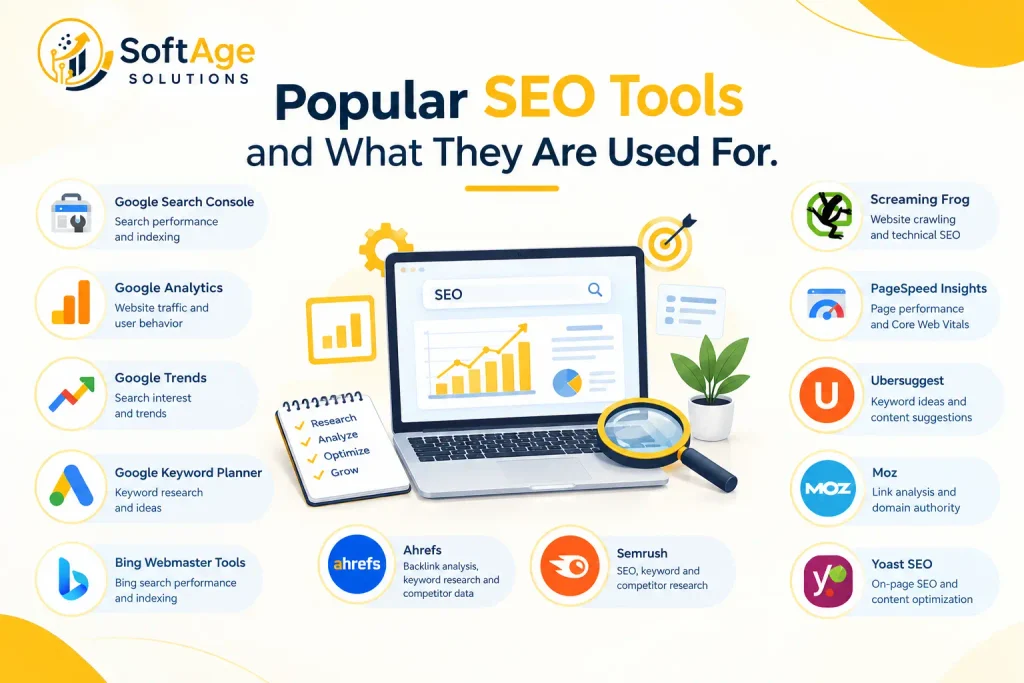
This table lists commonly used tools and what they’re generally used for. It isn’t a ranking, and none of these are presented as better than another.
| Tool | Main purpose |
|---|---|
| Google Search Console | Search performance and indexing information for your own site |
| Google Analytics | Website traffic and user behavior |
| Google Trends | Search interest and trend analysis |
| Google Keyword Planner | Keyword research and search demand estimates |
| Ahrefs | Keyword, backlink and competitor research |
| Semrush | SEO, keyword and competitor research |
| Screaming Frog | Website crawling and technical SEO checks |
| PageSpeed Insights | Page performance analysis |
| Bing Webmaster Tools | Search performance and indexing information for Bing |
The right pick depends on your SEO task, website size, budget, the data you need, your experience, your reporting needs, and the countries you target. Features and pricing change often, so check each tool’s official site before deciding.
Free SEO Tools vs Paid SEO Tools
Free tools go a long way. Google Search Console, Google Analytics, Google Trends, and PageSpeed Insights cost nothing and cover search performance, traffic, trends, and page speed. Some paid platforms also offer limited free plans or trials, and a few free tools give basic keyword research and simple website diagnostics.
Paid tools usually add things that are hard to get for free:
- Larger keyword and competitor datasets
- Backlink databases covering many sites, not just your own
- Advanced and white-label reporting
- Historical data
- More frequent monitoring and higher tracking limits
That doesn’t make paid tools better for everyone. A local business with a 30-page site may never touch most of a big platform’s features. An agency managing many sites in several countries might find free tools too thin. Choose by need, not by price.
How to Choose an SEO Tool
Run through these questions before you commit to anything:
- What SEO task do you need to do right now?
- Is the tool suited to your website size?
- Does it provide the data you need, or only data that looks impressive?
- Does its data hold up when you compare it with Search Console or your own checks?
- Does it cover your target country, language, and market?
- Does it keep historical information?
- Do you need reporting, and for whom?
- Is there a free version or trial?
- What are the usage limits, like tracked keywords or crawl size?
- Is the interface right for your experience level?
- Does it connect with the other platforms you use?
- What’s the total yearly cost, including extra users and add-ons?
One simple test works well. Run the same small task in two tools, then compare both results with something you can verify yourself. There’s no universal answer here.
Common Mistakes When Using SEO Tools
- Treating search volume as the only keyword metric. A modest keyword can bring better visitors than a popular one. Intent and relevance matter.
- Treating keyword difficulty as absolute. It’s a tool-specific estimate, often link-based. It knows nothing about your content quality or authority on the topic.
- Copying competitor keywords without checking intent. A competitor may rank with a page type that wouldn’t suit your site.
- Trying to fix every audit warning. Many are low priority. Start with what affects crawling, indexing, and user experience.
- Assuming a high SEO score means you’ll rank. The score reflects the tool’s checklist, not a search engine’s decision.
- Watching only rankings. A page can rank well and still bring no customers.
- Ignoring conversions and business goals. Traffic is a means, not the goal.
- Using automated recommendations without review. Suggested titles, terms, or fixes can be wrong for your audience.
- Treating tool data as exact. Every tool samples, estimates, or crawls with limits.
- Mixing tools without knowing what each one measures. Two numbers called “traffic” can be calculated in very different ways.
Can SEO Tools Replace an SEO Professional?
No. Tools produce data and suggestions. People decide what matters.
Tools can deliver reports, alerts, keyword suggestions, technical findings, competitor information, and performance measurements. People still have to interpret the data, understand search intent, prioritize problems, connect findings to business goals, judge content quality, decide what to change, and measure outcomes.
Say a crawler flags 300 thin pages. A professional might decide 250 are old tag pages that should go, 40 deserve a rewrite, and 10 are fine as they are. The tool found the pages. The judgment came from someone who knew the site.
SEO Tools and AI: What Is Changing?
AI is changing both the software and the search results.
On the software side, AI features can summarize big reports, group keywords, suggest topics, and speed up research. That’s useful when you’re dealing with volume. Just check the output, because AI can be confidently wrong.
On the search side, Google now shows AI Overviews and AI Mode for some searches. Generative AI writes answers drawn from many sources, so brands have started to care about AI visibility, meaning how often they’re mentioned or linked in those answers.
Here’s what Google says to site owners. According to its documentation, the established SEO fundamentals remain worthwhile for these features, and no specific optimization is required to appear in them. A page also needs to be indexed and eligible to appear in Search with a snippet to be shown as a supporting link. And traffic from AI features is included in the overall search traffic in Search Console. AI features and your website +2
So the basics still apply: understand your users, publish useful content, keep the site easy to crawl, and tie the work to business goals. AI adds new interfaces and new questions about visibility. It hasn’t removed the need for any of that. Since this area changes quickly, check Google Search Central for current guidance before acting on any claim, including this one.
What Is Replacing SEO?
Nothing has replaced SEO as a single new method. What’s happening is that the places people find information are multiplying, and SEO work is stretching to cover them.
A few related ideas are in use:
- Search experience: results pages now mix links, snippets, videos, maps, and AI-generated summaries.
- AI-assisted search: people ask longer, conversational questions and follow up on answers.
- Answer engine optimization (AEO): shaping content so it gives clear, direct answers.
- Generative engine optimization (GEO): efforts to appear in AI-generated responses.
- Brand visibility across search and AI systems: being recognized and cited, not just ranked.
These terms are still young, and people don’t fully agree on what they mean. They still rest on the same base: useful, accurate content, a site search systems can crawl and understand, a good user experience, and a brand people trust. The need to be found doesn’t go away when the interface changes.
Are SEO Tools Necessary?
Not strictly. You can do SEO without paid software. A beginner can use Google Search Console and Google Analytics for performance data, Google Trends for interest over time, search engine documentation for guidance, manual SERP research to study competing pages, browser inspection to check titles and headings, and basic technical checks like opening a robots.txt file or testing a few URLs.
Specialized tools earn their keep as the work grows. Large sites can’t be audited by hand. Competitor and backlink research needs datasets that individual owners don’t have. Client reporting eats time without automation. For a small site with a narrow goal, free tools and careful reading may be enough. For a big site or an agency, paid software often saves real time.
SEO Tools vs SEO Strategy
SEO tools collect and analyze data. SEO strategy decides what to do with it.
| SEO tools | SEO strategy |
|---|---|
| Collect and analyze data | Sets goals |
| Find technical issues | Defines priorities |
| Monitor changes | Understands the audience |
| Provide reports | Interprets data in context |
| Suggests keywords and fixes | Decides which actions to take |
| Measures rankings and traffic | Measures business results |
A tool can say a page lost rankings. Strategy asks whether that page mattered, why it slipped and what the business should do next. When people say “our SEO isn’t working”, the missing piece is often a strategy, not another tool.
Is SEO Difficult to Learn?
The basics are very learnable. SEO has several areas: keyword research, content, on page SEO, technical SEO, off-page SEO, analytics, and search intent. A beginner can pick up the fundamentals of each with a few months of steady study and practice.
The harder part comes later. Advanced SEO means large or complex websites, tricky technical problems, deeper data analysis, and search systems that keep changing. Experience counts because plenty of situations have no textbook answer. None of that should put a beginner off. Most people start with simple tasks and build up.
Can I Teach Myself SEO?
Yes, and plenty of people have. A practical path looks like this:
- Learn the fundamentals from search engine documentation and reputable guides.
- Understand search intent by reading results pages closely.
- Learn keyword research and practice on a topic you know.
- Learn on-page SEO: titles, headings, internal links and structure.
- Learn technical SEO basics like crawling, indexing, sitemaps, and page speed.
- Learn Google Search Console and analytics.
- Practice on a real website, even a small personal one.
- Study search results regularly to see what ranks and guess why.
- Look at what your changes produce, and keep notes.
- Keep learning as search systems change.
Practice teaches more than reading. A site you can edit is the best classroom you’ll find.
Will SEO Exist in 5 Years?
No one can say for sure, so it helps to split what we know from what we don’t.
What current evidence supports: search engines still depend on web content, Google’s own guidance says SEO fundamentals remain relevant for its AI features, and businesses still need people to find them online.
What’s uncertain: how search interfaces will look, how much people will rely on AI answers, how traffic will be shared out, and which discovery channels will matter.
The way SEO is practiced will probably keep changing, as it has for years. Websites and organizations will still need ways to be found through search and other information systems. The job title or label might change. The core work of understanding users, publishing useful content and keeping it accessible is unlikely to disappear. That’s a reasoned expectation, not a certainty.
Is SEO a High Income Skill?
It can be valuable, but nobody can promise an income.
SEO can pay off commercially because organic search can bring customers to a business. Pay varies a lot, though. It depends on experience, specialization, location and the type of employer or client. Freelancers and agency owners also have to win clients, not just do the work. Job markets differ by country and industry.
What businesses pay for is results they can tie to revenue, leads, or growth, not familiarity with SEO terms. Someone who can show how their work supported business outcomes is in a better position than someone who only knows the vocabulary. Be wary of any specific income promise about SEO.
FAQ
What are the top 5 SEO strategies?
SEO strategies work together, and their importance depends on your website and situation, so this isn’t a ranking. Five commonly used areas are:
- Search intent and keyword research: understanding what people want when they search.
- Helpful, relevant content: pages that answer the question well.
- Technical SEO: making sure search engines can crawl, index and understand your site.
- On page work: clear titles, headings, internal links and structure.
- Authority and link related work: earning mentions and links from relevant, trusted sites.
A technically perfect site with weak content will struggle. So will excellent content that search engines can’t reach.
What is replacing SEO?
Nothing has fully replaced it. Search is changing through AI search, AEO, GEO and new results page formats, and brands now care about visibility in AI-generated answers as well as traditional links. These developments extend SEO work instead of ending it, since they still depend on useful content, accessible websites, and a good user experience.
Is SEO difficult to learn?
The fundamentals are beginner friendly and can be learned step by step. Advanced SEO is harder because it involves complex sites, data analysis, and constant change. Most people can start with the basics and improve through practice.
What are the SEO tools?
SEO tools are software and web services that help collect and analyze data for search engine optimization work. The major categories are keyword research tools, technical SEO tools, on page SEO tools, backlink analysis tools, rank tracking tools, content SEO tools, and analytics and search performance tools such as Google Analytics and Google Search Console.
What are the top 10 SEO tools?
There’s no single correct top 10, because the right tool depends on the task. Commonly used SEO tools include:
- Google Search Console: search performance and indexing data for your site
- Google Analytics: website traffic and user behavior
- Google Trends: search interest over time
- Google Keyword Planner: keyword ideas and demand estimates
- PageSpeed Insights: page performance analysis
- Bing Webmaster Tools: search performance data for Bing
- Ahrefs: keyword, backlink and competitor research
- Semrush: SEO, keyword and competitor research
- Screaming Frog: website crawling and technical checks
- Moz Pro: keyword research, link data and site analysis
The list is in no particular order. Check each tool’s official site for current features and pricing.
Is SEO dead now with AI?
No. AI Overviews, AI Mode, and AI-assisted research have changed how some people search, and some sites may see different traffic patterns. Google’s documentation says SEO best practices remain relevant for its AI features. SEO is changing in method and measurement, but it hasn’t stopped being useful.
Can I teach myself SEO?
Yes. Start with the fundamentals, learn search intent and keyword research, move on to on page and technical basics, learn Search Console and analytics, then practice on a real website and study the results. Keep learning as search changes.
Will SEO exist in 5 years?
Probably in some form, though nobody can be sure. Current evidence shows search engines still depend on web content and SEO fundamentals still apply. Tools, interfaces and tactics will likely keep changing, but the need to be found should remain.
Is SEO a high-income skill?
It can lead to well-paid work, but income isn’t guaranteed. Results depend on experience, specialization, client or employer demand, and your ability to connect SEO work to business outcomes.
Conclusion
SEO tools give you useful information about keywords, technical health, backlinks, rankings, content, and performance. Different tools suit different tasks, so most people end up with a small mix instead of one product. Their data always needs interpreting, because scores and estimates aren’t results. Strategy still decides which findings matter and what to do next.
AI is changing search results, and the software used to study them, understanding users, writing helpful content, and keeping a site easy to crawl, still count.
If you need help understanding your website’s SEO performance or planning your next SEO steps, SoftAge Solutions can help you assess the areas that need attention.