

Someone in Denver types “dentist in Denver” into Google. Someone in Austin searches “web developer in Austin.” A person on the street looks up “coffee shop near me.”
All three want a business in a specific place. Google shows them a map, a short list of businesses, and some website results. The businesses in that list get the calls, the direction requests, and the visits.
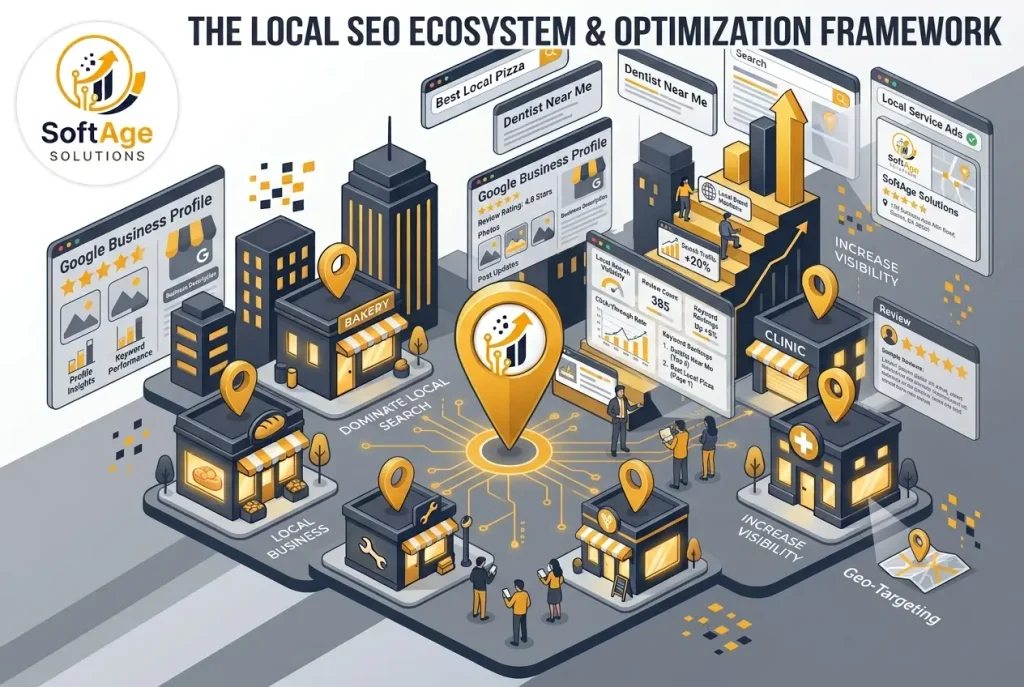
Local SEO is the work that helps a business appear in those results. In short, Local SEO helps businesses show up when people search for products or services in a specific area. This guide explains how it works in plain language, what you can do yourself, and what mistakes to avoid.
What Is Local SEO?
Local SEO, or local search engine optimization, is the practice of improving a business’s visibility in local search results. These are searches where the person wants something nearby or in a named place.
There are two kinds of local searches.
Searches with a place in them. For example, “plumber in Houston” or “SEO company in Austin.”
Searches where Google works out the place. For example, “coffee shop near me” or just “dentist.” Google may use the searcher’s location to decide what is nearby.
Compare this with a normal search such as “how to fix a leaking tap.” That search has no place attached. Google shows articles and videos that anyone in the world could read. A local search is different. Google shows businesses, and it cares where those businesses are.
Local SEO works across a few places:
- Google Search. The regular results page, which often shows a map and a short list of local businesses above the usual links.
- Google Maps. Where people look for places, read reviews, and get directions.
- Google Business Profile. The free profile that controls how your business appears on Google Search and Maps.
- Your website. The place where people learn more and contact you.
A simple example: a bakery in a small town does not need visitors from another country. It needs people in and around that town to find it when they search for cakes or fresh bread. Local SEO is how that bakery gets in front of them.
Why Is Local SEO Important for Businesses?
If your customers live in a certain area, you want to be seen by people in that area. Local SEO helps with that.
A person who searches for a nearby business is often ready to act. They may want to call, ask for directions, or visit the same day. When your business shows up with the right information, you give that person an easy next step.
Local SEO can help with:
- Local visibility. Your business appears in Google Search and Google Maps for searches connected to your area.
- Phone calls. Many people tap the call button right from the results.
- Directions. People can get directions to your shop or office.
- Website visits. People who want more detail visit your site.
- Local leads. Form submissions and messages from people nearby.
- Store visits. People who see your hours, photos, and reviews and decide to come in.
One honest note. Local SEO does not give the same results to every business. Results depend on your market, your competition, your location, your website, and the work you put in. A business in a small town with few competitors will see a different outcome than one in a crowded city center.
How Does Local SEO Work?
Google wants to show the most useful business for each search. It looks at the search, the place, and the information it has about nearby businesses.
Google’s own documentation says local results are mainly based on three things: relevance, distance, and prominence.
Relevance is how well your business matches what the person searched for. If someone searches for “emergency plumber,” a profile and website that clearly say you offer emergency plumbing are a better match than a vague one.
Distance is how far your business is from the place used in the search. If the person included a location in the search, Google uses that. If not, it uses what it knows about the person’s location. You cannot change where you are, but you can make sure your address or service area is correct.
Prominence is how well known your business is. Google looks at what it knows about you from across the web, such as links, articles, and directories. Review count and review score also count. Some businesses are well known in the real world, and search results try to reflect that.
Google also states that there is no way to request or pay for a better local ranking. So no one can promise you a spot in the local results. What you can do is give Google clear, accurate information and give customers good reasons to choose you.
Here is how the pieces fit together:
- A person searches for a service, a place, or both.
- Google looks for businesses that match the search (relevance).
- Google considers how close each business is (distance).
- Google looks at how well known and trusted each business appears to be (prominence).
- Google shows a set of results, usually on a map and in a short list.
Your Google Business Profile, your website, your reviews, your listings on other sites, and the links pointing to you all feed into these three factors.
Google Business Profile and Local SEO
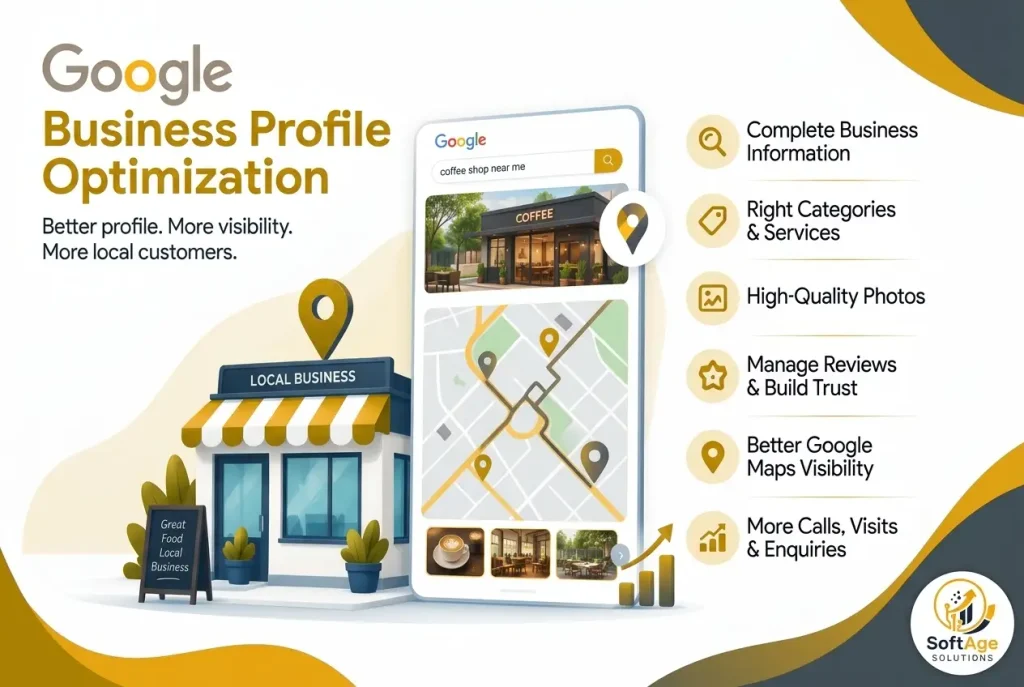
Google Business Profile, often called GBP, is a free profile that lets you manage how your business appears on Google Search and Google Maps. For most local businesses, it is the first thing to set up.
Google says that businesses with complete and accurate information are more likely to show up in local search results. If your information is wrong, your profile may not appear for the searches you want.
Here is what to fill in:
- Business name. Use your real business name, the one customers know you by.
- Address. A complete street address if customers visit you. Service area businesses have different rules, covered below.
- Phone number. A number that is answered during your business hours.
- Website. A link to a page that matches your business.
- Business category. Pick the category that best describes your main service. This helps Google understand what you do.
- Business hours. Keep them current, including holidays.
- Photos. Real photos of your place, your team, and your work.
- Services and products. List what you offer.
- Business description. A short, honest summary of what you do.
- Reviews. Read them and reply.
- Updates and posts. Where available, share news or offers.
Everything on the profile must be true. Do not add keywords to your business name, do not list a fake address, and do not pretend to be somewhere you are not. Google can suspend profiles that break its rules, and customers lose trust fast when the information does not match reality.
Local Keywords
Local keywords are search terms that include a place or show local intent. They tell you what words people use when they look for businesses like yours.
Common types:
- City keywords. “SEO company in Austin,” “dentist in Denver”
- Area keywords. A neighborhood, district, or town name
- Near me searches. “Digital marketing agency near me”
- Service plus location. “Web development company Seattle”
- Local intent without a place. “Emergency plumber,” where the person clearly wants someone nearby
To find these terms, start with your own services. Add the places you serve. Then check how people phrase their searches. Google Search Console shows queries people already use to find your site. Tools like Google Trends and keyword research tools can show related terms.
A tip on using them: write for people. Do not force a city name into every sentence. A page that says “plumber in Houston” twelve times reads badly and does not help anyone. Use the place name where it makes sense, such as in the page title, the main heading, the contact details, and a few natural mentions in the text.
Local On-Page SEO
On-page SEO is about what is on your website. For Local SEO, your site should make two things clear: what you do and where you do it.
Page titles and meta descriptions. Each important page needs a clear title and a short description. For a service page, include the service and the place if it fits naturally. For example, “Water Heater Repair in Houston | Company Name.”
Headings. Use one clear main heading per page and simple subheadings that match what people look for.
Service pages. Give each main service its own page with real details: what you do, who it is for, how it works, and how to contact you.
Location pages. If you have more than one branch, create a page for each. Each page should have its own address, phone number, hours, photos, and details about that place. If you serve many areas from one location, a single page that explains your service area is often enough.
Contact information. Put your name, address, and phone number where visitors can find them easily. Many businesses place these in the footer and on a contact page. Make sure they match your Google Business Profile exactly.
Internal links. Link from related pages to your service and location pages, using descriptive anchor text. This helps visitors and search engines find the right pages.
Images. Use real photos of your work, team, or location, with short and accurate alt text.
Schema markup. Schema markup, also called structured data, is extra code that describes your business to search engines. A local business can use LocalBusiness markup to share its name, address, phone, and hours. It helps search engines understand the page. It does not guarantee any ranking. Make sure the details in the markup match what is visible on the page.
Technical basics. Your site should load fast, work well on a phone, and be easy to crawl. Many local searches happen on mobile, so a mobile-friendly website matters. Page speed and Core Web Vitals are part of this.
Do not create dozens of thin pages that only swap the city name. Google does not want pages made only to catch searches, and they do not help readers.
Local Citations and NAP
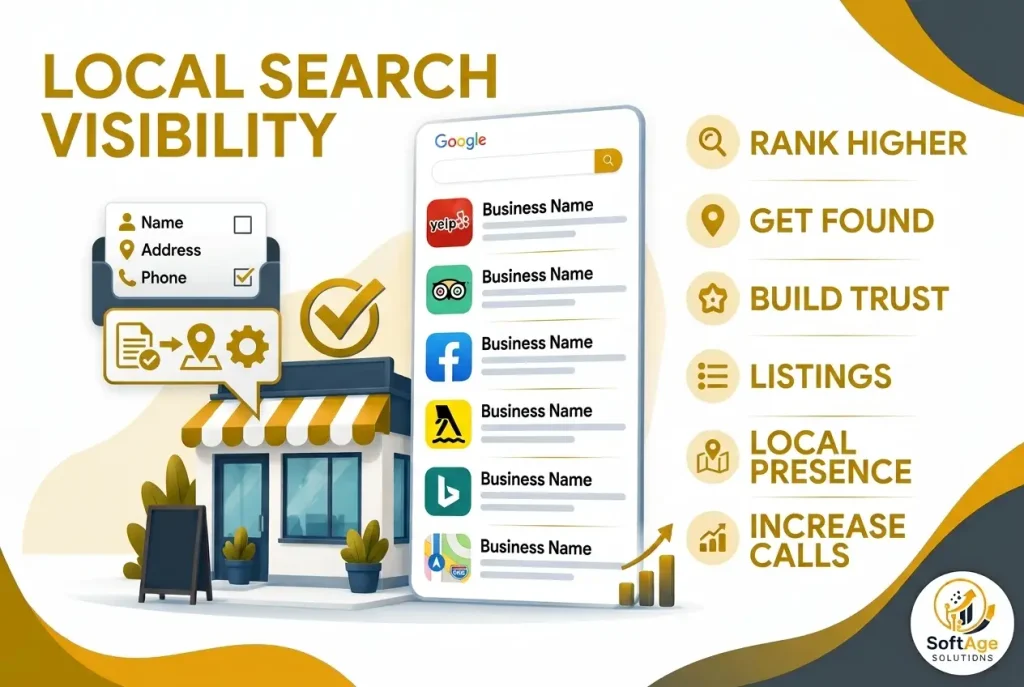
A local citation is a mention of your business on another website, usually in a directory. Citations list your name, address, and phone number. These three details are called NAP.
Examples of places that may list your business include:
- Online business directories
- Industry directories for your trade
- Chamber of commerce websites
- Maps and navigation apps
- Review sites and local guides
Consistency matters. If your business is “Green Leaf Dental Clinic” on Google, “Green Leaf Dental” on one directory, and “Greenleaf Clinic” on another, people and search engines may get confused. The same goes for old phone numbers or old addresses.
Here is a practical way to start:
- Write down your exact business name, address, and phone number as they appear on your Google Business Profile.
- Search for your business on Google and note where it appears.
- Fix wrong or outdated listings.
- Add your business to the main directories for your country and the best ones for your industry.
Quality matters more than quantity. A few correct listings on useful sites help more than hundreds of low-quality listings on sites no one visits.
Online Reviews and Local SEO
Reviews matter for two reasons. They help customers decide, and they are part of how Google judges prominence. Google states that review count and review score factor into local ranking, and that more reviews and positive ratings can help.
When people read reviews, they look at:
- Quantity. How many reviews you have.
- Quality. The rating, and what the reviews say.
- Recency. Whether people reviewed you recently.
- Replies. Whether the business answers.
Reviews alone will not guarantee a ranking. But a business with many recent, honest reviews is easier for customers to trust.
How to ask for reviews the right way:
- Ask customers after a good experience. A short message with a direct review link or QR code works well.
- Ask everyone, not only people you think will leave five stars.
- Reply to reviews, positive and negative. Keep replies polite and useful.
- For a negative review, reply calmly, apologize if it is fair, and offer to fix the problem offline.
What not to do. Google’s policy says reviews must reflect a genuine experience. Offering discounts, free items, or payment for reviews is not allowed. Offering something to get a negative review changed or removed is also not allowed. Google also does not allow businesses to pressure customers to review while they are on the premises, to ask for specific content in a review, or to ask staff to collect a set number of reviews. Selectively asking only happy customers is also against the rules. Fake reviews can be removed, and a profile that repeatedly breaks the rules can face restrictions.
Customers also notice fake reviews. Genuine feedback, even with a few complaints, looks more believable.
Local Link Building
Links from other websites to yours help search engines see that your business is real and known in your area. Google’s documentation says prominence also comes from information across the web, such as links, articles, and directories.
Local backlinks are links from sites connected to your area or industry. Good places to look:
- Local business groups and chambers of commerce
- Industry associations
- Local news sites and blogs
- Community websites and school or charity pages
- Business partners and suppliers
- Local events you host or take part in
- Sponsorships of local teams or causes, where it makes sense
The best links come from real relationships. If you sponsor a local event, the organizer may list you on their site. If you share useful advice with a local publication, they may link to your page.
Avoid buying links, joining link exchange schemes, or posting your link on irrelevant sites. These tactics can cause problems and do not build real trust.
Local Content Strategy
Local content answers questions people in your area ask. It shows that you understand your market, and it gives your site more chances to be found.
Ideas that work:
- Service information. Explain how your service works, what it costs in general terms, and what to expect.
- Location-specific FAQs. For example, a roofer might explain which roof types suit the local weather.
- Local guides. A real estate agent might write about different neighborhoods. A restaurant might write about local ingredients.
- Community information. Events, partnerships, or local projects you have taken part in.
- Customer questions. Real questions your team hears every week make good topics.
Write for the reader first. If you copy the same page and change only the city name, you get a thin page with no value. Each page needs something specific to that place or that audience.
Local SEO for Small Businesses
You do not need a big budget to start. Here is a realistic order of work:
- Create or claim your Google Business Profile. Search for your business first, as it may already exist. Complete the verification steps.
- Fill in all business information. Name, address or service area, phone, hours, category, services, and photos.
- Check your website. Make sure your name, address, phone number, and services are correct and easy to find.
- Research local search terms. Write a short list of the services you offer and the places you serve. Check what people search for.
- Improve your main service pages. Clear titles, headings, and helpful text. One page per main service.
- Build relevant local citations. Fix existing listings first, then add a few trusted ones.
- Ask genuine customers for reviews. Make it easy. Reply to every review.
- Publish useful local content. Start with the questions customers ask most.
- Earn relevant local links. Through partnerships, events, and community work.
- Monitor results. Check calls, direction requests, website visits, and leads each month.
Start with steps 1 to 3. They take little money and give you a solid base.
Local SEO for Service Area Businesses
A service area business goes to its customers instead of welcoming them at a shop. Plumbers, electricians, cleaning companies, home repair teams, and mobile services are common examples.
Google has specific rules for these businesses. These are the main points from its current documentation:
- If you do not serve customers at your business address, you should hide your address on your profile. The profile then shows your service area instead.
- You can set your service area by cities, postal codes, or other areas. You can add up to 20 service areas.
- Google recommends keeping the overall area within about two hours of driving time from where your business is based. Some businesses may reasonably need more.
- Google’s updated guidelines do not allow countries or states as service areas.
- Create only one profile for the metro area you serve. Google may suspend accounts that have multiple profiles for the same business in the same area.
- A service area business cannot list a virtual office as its address unless that office is staffed during business hours.
- Some businesses are hybrid. For example, a repair shop that also offers roadside help can show its storefront address and also set a service area.
Google updates these rules from time to time, so check the current Business Profile guidelines before you set up or change your profile.
On your website, make it clear which areas you serve. A page that lists your service areas and explains how you work in them helps customers and search engines. Do not claim a physical office where you do not have one.
Local SEO vs Traditional SEO
Local SEO and general SEO share many basics. Both need a useful website, good content, and a site that works well. The difference is the focus.
| Local SEO | General SEO |
|---|---|
| Focuses on local searches | Focuses on broader search visibility |
| Location is important | Location may not be important |
| Google Business Profile can matter | Website optimization is central |
| Local citations can matter | Broader authority signals are considered |
| Reviews can influence customer decisions | Reviews may be less central |
| Google Maps visibility can matter | Standard organic results are often the focus |
The two overlap. A good website helps both. A local business with a weak site will struggle in local results too. Many businesses need both, with Local SEO added on top of a solid SEO base.
Local SEO vs Google Business Profile
People often use these two terms as if they mean the same thing. They do not.
Google Business Profile is one tool. It controls how your business appears on Google Search and Maps.
Local SEO is the full effort. It includes your profile and also covers:
- Website changes
- Local content
- Citations
- Reviews
- Local links
- Technical SEO
- Local keyword research
- Understanding search intent
You can have a perfect profile and still miss customers if your website is unclear or slow. And you can have a great website and miss local searches if your profile is empty. Both parts work together.
Common Local SEO Mistakes
- Incorrect business information. Wrong hours or an old phone number send customers away.
- Inconsistent NAP details. Different names, addresses, or numbers across the web create confusion.
- Ignoring Google Business Profile. An unclaimed or unfinished profile is a missed chance.
- Using the wrong business category. Pick the one that best matches your main service.
- Keyword stuffing. Adding keywords to your business name or repeating a city name too often looks spammy and can break Google’s rules.
- Creating poor location pages. Pages with no real information for that place add no value.
- Buying fake reviews. They break Google’s policy and damage trust.
- Ignoring customer reviews. Unanswered reviews, good or bad, show customers you are not paying attention.
- Building irrelevant citations. Listings on unrelated or low-quality sites will not help.
- Ignoring the website. The site is where people decide whether to contact you.
- Using duplicate local content. Copying the same text across pages with a new city name offers no value.
- Focusing only on rankings. Rankings matter less than calls, visits, and leads.
How to Measure Local SEO Performance
Rankings alone do not tell you if Local SEO is working. A business can rank well and still get few calls. Look at what real people do.
Google Business Profile performance data. Where available, your profile shows how people found you and what they did, such as calls, direction requests, and website clicks.
Google Search Console. Shows the queries that brought people to your site, along with clicks and impressions.
Google Analytics. Shows organic traffic, which pages people visit, and which actions they take, such as form submissions.
Phone calls and messages. Ask new customers how they found you. Keep a simple log.
Leads and conversions. Count enquiries, bookings, and sales that came from search.
Keyword rankings. Useful for trends. Remember that local results can change from one location to another, even within the same city. Two people searching on the same street may see slightly different results.
Review your numbers once a month. Look for trends over several months, not daily changes.
Local SEO Tools
You do not need many tools. Here are the main types and what they do.
- Google Business Profile. Manage your listing, reply to reviews, and see profile performance.
- Google Search Console. See search queries, clicks, and technical issues on your site.
- Google Analytics. Track website traffic and actions.
- Google Trends. See how interest in a topic or service changes over time and by area.
- Keyword research tools. Find local search terms and related questions.
- Local rank tracking tools. Check where your business appears in Maps and local results from specific spots.
- Citation management tools. Find and fix listings across directories.
- Website crawling tools. Find broken links, slow pages, and missing titles.
Start with the free Google tools. Add paid tools only when you have a clear need.
How Long Does Local SEO Take?
There is no fixed timeline, and no one can honestly promise one. Several things affect how fast you see change:
- How much competition there is
- Your location and the size of your market
- The condition of your website
- Your business history and existing visibility
- How many reviews you have, and how recent they are
- How much local authority you already have
- The quality of your content
- Technical SEO issues
- How consistent your business information is
A business in a small market with a clean website and a fresh profile may see movement sooner than one in a crowded market. Treat Local SEO as steady work. Make the fixes, track the results, and keep improving.
Local SEO Checklist
[1 ] Google Business Profile is claimed and verified where applicable
[2 ] Business information is accurate
[ 3] Business category is appropriate
[ 4] Website has clear service information
[ 5] Location information is clear
[6 ] Important pages have useful titles and headings
[7] NAP information is consistent
[8 ] Relevant local citations exist
[ 9] Customers can leave genuine reviews
[10] Reviews receive appropriate responses
[11] Local content answers real customer questions
[ 12] Relevant local links are earned
[13] Local performance is monitored
Is Local SEO Still Important?
Yes, as long as people look for businesses near them. Google’s own documentation describes local results appearing in Google Maps and Search when someone looks for a business or place near their location. People still search for services with a place name, still look up “near me,” and still use maps to find shops, clinics, and repair services.
Search results do change. Google adds and updates features over time, so local results may change too. The basics remain useful: accurate business information, a complete Google Business Profile, a helpful website, genuine reviews, and a strong local reputation. If you keep those in good shape, you are in a better position whatever the results page looks like.
FAQs
What is Local SEO?
Local SEO is the work of helping a business appear in search results for a specific area. It covers your Google Business Profile, website, reviews, listings, and local content.
Why is Local SEO important?
It helps nearby customers find your business at the moment they search. This can lead to calls, direction requests, website visits, and store visits.
How does Local SEO work?
Google looks at relevance, distance, and prominence. Relevance is how well you match the search. Distance is how close you are. Prominence is how well known you are, including links, listings, and reviews.
What is Google Business Profile in Local SEO?
It is a free profile that controls how your business appears on Google Search and Maps. It is one important part of Local SEO, but not the whole thing.
What are local citations?
Local citations are mentions of your business name, address, and phone number on other websites, such as directories and local guides.
What is NAP in Local SEO?
NAP stands for name, address, and phone number. Keep these details the same everywhere your business is listed.
How do reviews affect Local SEO?
Google says review count and score are part of how prominent a business appears in local results. Reviews also help customers decide. Ask for reviews honestly and never pay for them or offer rewards.
How long does Local SEO take?
It depends on your competition, location, website, and how much work is needed. No one can promise results in a set number of days.
Is Local SEO different from SEO?
Yes and no. They share many basics, but Local SEO focuses on location-based searches and adds things like Google Business Profile, citations, and local reviews.
Is Local SEO worth it for a small business?
If your customers are in a specific area, it is usually a sensible place to start. Many of the first steps, like setting up your profile and fixing your business details, take little money.
How do I start Local SEO?
Claim your Google Business Profile, fill in your details, make sure your website matches, and fix any wrong listings. Then ask real customers for reviews and build useful local content.
Does Local SEO work without a physical store?
Yes. Service area businesses can use Local SEO. You set a service area on your Google Business Profile, hide your address if customers do not visit you, and make your service areas clear on your website.
Conclusion
Local SEO helps businesses reach people who search for products and services in a specific place. Google Business Profile is one part of it, and a good start. Your website matters too, since it is where people decide whether to contact you. Accurate business details and consistent citations help Google and customers trust your information. Genuine reviews can influence customer decisions, and useful local content can support your visibility. And because search results and customer behavior change, Local SEO needs regular checking and small improvements over time.