
Picture a dental clinic group with a website that looks great. Patients can read about services and see contact details. But they cannot book with a specific dentist, the schedule does not sync with the clinic’s practice software, and appointment reminders still go out by hand. A plugin or two might patch part of the problem, but the rest needs something built for how that business actually works.
That gap is where custom web development becomes relevant.
Custom web development is the process of designing and building a website or web application around a specific business’s requirements, instead of adapting a ready-made template. Developers write the frontend, backend, database, and integrations to fit your workflows, so the site does what your business needs rather than only what a theme or plugin allows.
This guide explains what that means in practice, what a project includes, how the process runs, what affects cost and timeline, and when a template or platform is the smarter choice.
What Is Custom Web Development?
Every website has a visible side and a hidden side. The visible side is the frontend: layouts, buttons, forms, menus, and everything a visitor sees and clicks. The hidden side is the backend: the server, the application logic, and the database that stores information and decides what happens when someone submits a form or places an order.
In a template-based site, most of both sides come pre-built. You choose a theme, add content, and install plugins for extra features. In custom web development, developers build some or all of these layers to match your requirements.
A few terms are worth defining in plain English:
- Custom website: a site whose design, structure, and features are built for one business rather than picked from a template library.
- Custom web application: software that runs in a browser and lets users do things, such as log in, manage orders, upload files, or view reports. Think customer portal, booking platform, or internal dashboard.
- Database: the organized storage behind the site. It holds users, products, bookings, invoices, or whatever your business tracks.
- API: a set of rules that lets two software systems exchange data. When your website sends a new lead to your CRM, an API is doing the work.
- Integration: a connection between your website and another tool, such as a payment gateway, an email platform, or accounting software.
A short example. A wholesale supplier wants retail customers to log in, see their own negotiated prices, reorder past purchases, and download invoices. Standard store templates show one price list to everyone. This supplier needs user accounts, pricing rules tied to each customer, and a link to the inventory system. That is custom functionality, and it sits in the backend as much as the design.
Is custom web development the same as custom website design?
No. Design covers how a site looks and feels: layout, colors, typography, and user flow. Development covers how it works: the code, the logic, the data, and the connections to other systems. Many projects need both, but a beautiful custom design can still run on a template, and a heavily customized backend can sit behind a simple design.
What Does Custom Web Development Include?
Scope changes from project to project. A ten-page business website and a multi-user booking platform will not share the same list. Still, most professional web development services cover these areas:
- Discovery and requirements: conversations and documents that define business goals, users, and must-have features.
- Information architecture: how pages and content are organized so people and search engines can find things.
- UX and UI design: wireframes, visual design, and prototypes that show how the site will behave before code is written.
- Frontend development: turning designs into working pages using HTML, CSS, and JavaScript, often with a framework.
- Backend development: the server-side logic, user accounts, permissions, and business rules.
- Database development: planning how data is stored, related, and protected.
- API and third-party integrations: connections to payment gateways, CRMs, ERPs, shipping tools, or email platforms.
- CMS development: an admin area so your team can edit content without touching code, either a standard CMS or a custom one.
- Testing and quality assurance: checking that features work across browsers and devices, and fixing bugs.
- Security work: secure login, input handling, access control, and protection against common attacks.
- SEO groundwork: URL structure, metadata, sitemaps, and clean markup.
- Performance tuning: image handling, code loading, and caching.
- Deployment: moving the finished site from a staging environment to live hosting.
- Maintenance: updates, backups, monitoring, and fixes after launch.
When you compare quotes, check what each one includes. A low quote that leaves out testing, security, or content migration may cost more later.
Custom Website vs Template-Based Website
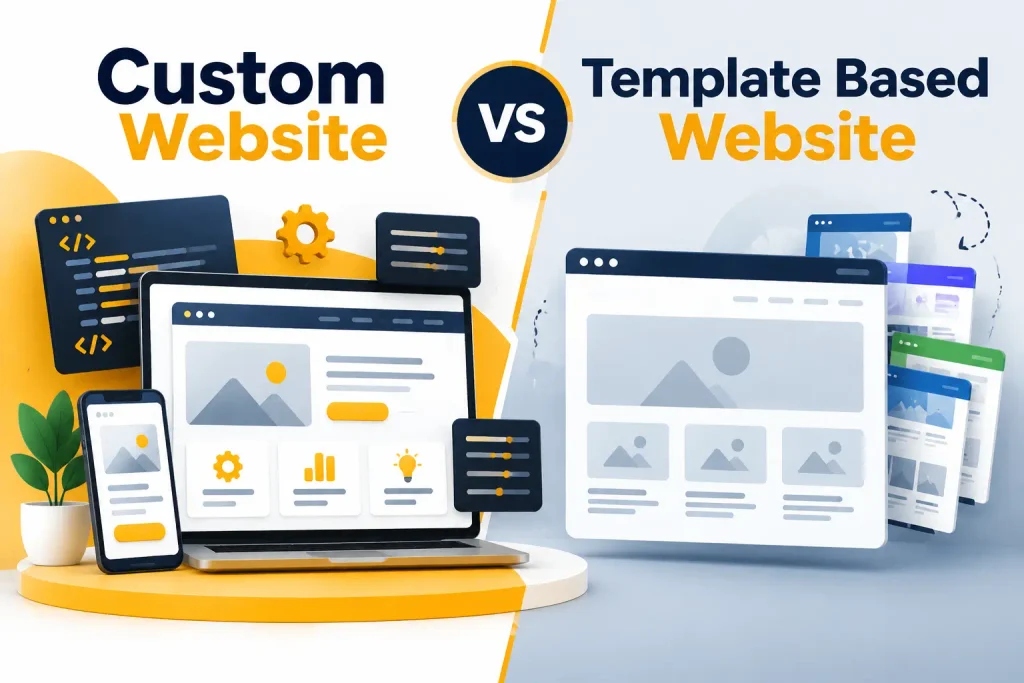
Neither approach wins every time. The better choice depends on what you need the site to do.
Design flexibility. Templates give you a fixed set of layouts you can adjust. Custom design has no such limit, but it takes more design and development time.
Functionality. Templates and plugins cover common needs well, such as contact forms, blogs, and basic stores. Custom development is better when a feature does not exist as a plugin, or when several plugins would fight each other.
Performance. Themes and plugins often load code your site never uses. A custom build can include only what it needs. That said, a well-configured template can still perform well, and a poorly built custom site can be slow.
Integrations. Popular platforms offer ready connectors for popular tools. If your CRM, ERP, or inventory system is less common, or you need a specific data flow, custom API work may be the only route.
SEO control. Good template platforms give you plenty of SEO settings. Custom development gives finer control over site structure, rendering, and markup, but only helps if the team knows technical SEO.
Maintenance. Platforms handle a lot of updates for you. A custom site needs someone responsible for updates, security patches, and hosting.
Development time. A template site can launch in days or weeks. Custom projects usually take longer because planning, building, and testing happen from scratch.
Initial cost. Templates are usually cheaper to start. Custom work costs more up front, though a template that needs heavy patching can narrow that gap over time.
Long-term flexibility. Custom code can grow with the business if it is well structured. Template platforms can limit you when your needs outgrow their rules.
Technical requirements. Template sites can be run by non-technical staff. Custom sites need developers available, either in-house or through a partner.
Can a custom website be built with WordPress?
Yes. Custom WordPress development is common. Developers can build a custom theme, write custom plugins, create custom post types, and connect WordPress to outside systems through its APIs. It is a practical middle path when you want a familiar content editor with functionality made for your business. Other platforms, such as Shopify, can also be extended with custom apps and themes.
When a template or website builder is enough
A template, Wix, Squarespace, or a hosted store is often the right answer when:
- You need a brochure site, portfolio, or small blog.
- Your store sells standard products with standard checkout.
- You want to launch quickly and test an idea.
- Your budget is limited, and your requirements are common.
- Nobody on your team will maintain custom code.
Choosing a ready-made platform is not settling. It is often the sensible business decision.
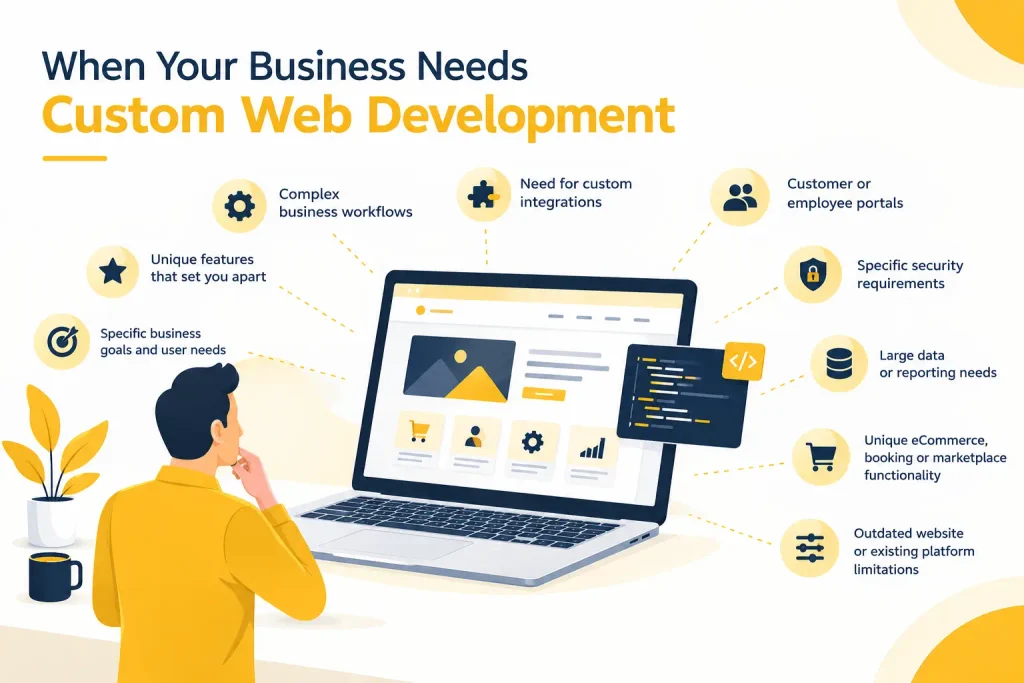
When Does a Business Need Custom Web Development?
Ask a simple question first: is the current platform blocking something the business needs to do? If yes, and a plugin or app cannot fix it, custom development is worth considering.
Common signs include:
- A required feature does not exist. For example, a product configurator where options change price and availability.
- Complex workflows. Approvals, multi-step forms, quotes that route to different teams, or bookings that depend on staff availability.
- Custom integrations. Data has to move between the site and a CRM, ERP, warehouse system, or accounting tool without manual copying.
- Portals for customers or employees. Login areas with personal dashboards, documents, or order history.
- Complex user roles. Admins, managers, clients, and vendors who each see and do different things.
- A unique checkout or booking process. Deposits, recurring services, rentals by the hour, or rules that change by location.
- Large or structured data. Thousands of records that need search, filtering, and reporting.
- Custom reporting. Dashboards that pull numbers from several sources.
- SaaS or marketplace ideas. Products where many customers or sellers use the same system.
- Technical limits. Pages that load slowly because of stacked plugins, or a platform that cannot support what is next on the roadmap.
- Automation needs. Tasks your staff repeats by hand that software could handle.
When custom development may not be necessary
If your needs are standard, a ready-made solution is likely enough. Many businesses ask for a custom build when what they really need is better content, a cleaner design, or a faster hosting plan. A good development partner will tell you when custom work is not the answer.
Types of Custom Websites and Web Applications
Custom work covers a wide range. Here are common examples.
- Corporate and business websites. A company with several service lines, regional pages, and a content team may want a custom structure and CMS, not a generic theme.
- eCommerce websites and online stores. A store with product bundles, quantity-based pricing, or a link to a warehouse system may need custom features on top of a standard platform, or a full custom build.
- Customer portals and client portals. A law firm might give clients a secure area to view case updates and upload documents.
- Web portals. A hub where different groups, like suppliers or franchise owners, log in to reach tools and information.
- SaaS applications. Subscription software such as scheduling, project tracking, or inventory tools.
- Marketplaces. Sites where sellers list products and buyers purchase, with commissions, reviews, and seller dashboards.
- Booking platforms. Systems for salons, clinics, rentals, or events with availability rules and payment handling.
- Membership websites. Gated content, tiered plans, and recurring billing.
- Dashboards. Screens that show sales, orders, or operations data in charts and tables.
- Internal business tools. Custom apps for staff, such as job scheduling, quoting, or stock tracking.
- Custom CMS platforms. Content systems built around a team’s exact publishing process.
- Database-driven applications. Any site where pages are built from stored records, like directories, catalogs, or listings.
How Does the Custom Web Development Process Work?
The process usually runs in a sequence, though good teams loop back when new information appears. Here is what happens at each stage.
1. Discovery. The team learns about your business, customers, competitors, and the problem the site should solve. This is where wrong assumptions get caught early.
2. Requirements gathering. Goals turn into a written list of functional requirements (what the site must do) and technical requirements (systems, hosting, security needs). Unclear requirements are one of the most common causes of budget overruns.
3. Project planning. The team sets the project scope, milestones, roles, and a timeline. Anything that is out of scope is listed too, so nobody is surprised later.
4. Information architecture. Pages, categories, and navigation are mapped out. This shapes both usability and how search engines understand the site.
5. Wireframing. Simple layout sketches show where content and features sit on each page. They are cheap to change, which is why they come before visual design.
6. UI and UX design. Designers create the look and the user flows, often with a clickable prototype. Your team can test how the site feels before development begins.
7. Technology selection. Developers choose the frameworks, languages, database, and hosting based on requirements, team skills, and long-term maintenance, not on trends.
8. Frontend development. Designs become working pages with responsive layouts, reusable components, and interactive elements.
9. Backend development. Developers build the application logic, user accounts, permissions, and admin tools.
10. Database development. The team designs the data structure, sets relationships between records, and plans backups and access rules.
11. API and third-party integrations. The site is connected to payment gateways, CRMs, email tools, or other systems. This stage often takes longer than expected because outside systems have their own rules and limits.
12. Testing. Testers check features, forms, and edge cases across devices and browsers. Fixes happen here, not after launch.
13. Security checks. The team reviews login, permissions, input handling, and dependencies, and runs vulnerability testing.
14. SEO and performance checks. Developers verify metadata, redirects, sitemaps, structured data, page speed, and mobile behavior.
15. Client review. You test the site on a staging environment, which is a private copy of the site, and give feedback. This step is often called user acceptance testing.
16. Deployment. The site moves to the production environment, meaning the live server. A careful launch includes a rollback plan in case something breaks.
17. Post-launch monitoring. The team watches for errors, slow pages, and broken integrations during the first weeks.
18. Maintenance. Updates, backups, security patches, and improvements continue on a regular schedule.
Technologies Used in Custom Web Development
There is no single best stack. The right choice depends on the project, the team’s experience, hosting, budget, and who will maintain the code later.
Frontend
- HTML gives a page its structure.
- CSS controls layout and appearance.
- JavaScript adds interaction.
- React, Vue.js, and Angular are frameworks that help build interactive interfaces from reusable components.
- Next.js is built on React and adds features such as server-side rendering, which can help with page speed and search visibility.
Backend
- Node.js runs JavaScript on the server and suits real-time and API heavy apps.
- PHP and Laravel power a large share of the web, including WordPress, and Laravel gives structure to larger applications.
- Python and Django are common for data-heavy projects and fast development.
- ASP.NET is a Microsoft framework often used in companies already running Microsoft systems.
Databases
- MySQL and PostgreSQL are relational databases, meaning they store data in linked tables. They work well for orders, users, and financial records.
- MongoDB is a NoSQL database that stores flexible documents. It can suit data that does not fit neatly into tables.
The choice depends on how your data behaves. If records relate to each other in clear ways, a relational database is often a natural fit. If the structure changes often, a NoSQL option may be easier.
Supporting pieces
- APIs connect your site to other software. REST is a common style.
- Cloud platforms and hosting determine where the site runs and how it handles traffic.
- Version control with Git tracks every code change, so teams can work together and undo mistakes.
- Deployment tools move code from development to staging to production in a controlled way.
How Custom Development Supports SEO
Development does not guarantee rankings. Content quality, links, and search demand still matter. What custom web development can do is build a sound technical base, so search engines can crawl and understand the site. Google Search Central documents most of these practices.
- Site architecture and URL structure. Logical categories and short, readable URLs help both users and crawlers.
- Crawlability and indexability. Crawlability means search engines can reach your pages. Indexability means they are allowed to store them. Developers control robots rules, noindex tags, and internal links that affect both.
- Page speed and Core Web Vitals. Google measures loading, responsiveness, and visual stability. Current thresholds are listed on web.dev and can change, so check there. Fewer scripts, well-sized images, and efficient code all help.
- Mobile responsiveness. Pages should work well on small screens, with tap-friendly buttons and readable text.
- Semantic HTML. Using the right tags for headings, lists, and navigation helps browsers, screen readers, and search engines.
- Metadata. Unique title tags and meta descriptions for each page.
- Structured data. Schema markup describes things like products, articles, and FAQs in a format search engines can read.
- XML sitemap and canonical URLs. A sitemap lists your important pages. Canonical tags tell search engines which version of a page to treat as the main one when similar versions exist.
- Internal linking. Links between related pages show search engines how your content connects.
- Image handling. Compressed images, modern formats, and descriptive alt text.
- Accessibility. Good contrast, keyboard access, and clear labels help users and often improve overall quality.
- JavaScript rendering. Sites built heavily with JavaScript can be harder for search engines to process. Server-side rendering or pre-rendering often solves this.
Custom builds also make migrations safer. Redirects from old URLs to new ones protect existing traffic when a site is rebuilt. Skipping that step is a common and costly mistake. For more detail, visit
Custom Web Development and User Experience
A custom site can be designed around what your users actually do, not around what a template allows. That matters most in the parts of a site where people take action.
- Navigation and structure. Menus and page groupings should match how visitors think, not how your company is organized.
- Responsive design and mobile experience. Many visitors arrive on phones. Mobile-first design starts with the small screen and expands from there.
- Page speed. Slow pages frustrate people, especially on mobile connections.
- Forms. Short forms with clear error messages get completed more often than long ones with vague warnings.
- Checkout and booking flows. Fewer steps, clear pricing, and saved details reduce drop-off.
- Search. Sites with many products or records need search and filters that work well.
- User accounts. Logins, saved preferences, and order history should be easy to use and easy to recover.
- Accessibility. Following the W3C’s Web Content Accessibility Guidelines helps people who use screen readers or keyboards.
- Error handling. A helpful message when something fails is better than a blank page.
- Personalization. Where it fits, such as showing a returning customer their previous orders, personalization can save time. It should not feel invasive.
Good UX starts with research and testing. Watching a few real users try a prototype often reveals problems faster than internal opinions.
Security Considerations in Custom Web Development
No website can be made completely secure. The goal is to lower risk and respond quickly when something goes wrong. The OWASP Top 10 is a widely used reference for common web application risks, and good teams work with it in mind.
Key practices include:
- Secure authentication. Strong password rules, hashed password storage, and optional two-step login.
- Authorization and access control. Making sure users can only see and change what they are allowed to.
- Input validation. Checking everything users submit, so attackers cannot slip in harmful code or queries.
- HTTPS. Encrypting traffic between the browser and server using TLS.
- Secure database practices. Limited access, encrypted sensitive data, and protection against injection attacks.
- Dependency updates. Libraries and frameworks receive security fixes, and outdated ones are a common way in for attackers.
- Backups. Regular, tested backups stored away from the main server.
- Vulnerability testing. Scans and manual reviews before launch and on a schedule after.
- Monitoring. Logs and alerts so unusual activity gets noticed.
- Data protection. Collecting only the data you need and following the privacy rules that apply to your customers.
With custom code, security is your responsibility and your developer’s. There is no platform vendor patching every issue for you, so ask who handles it.
Benefits and Trade-Offs of Custom Web Development
Benefits
- Control over functionality and how features behave
- Workflows built around your business processes
- Flexible integrations with the tools you already use
- Control over architecture, performance, and code quality
- Design freedom, without theme limits
- The ability to build features that competitors cannot copy from a plugin
- Room to adapt as the business changes
Trade-offs
- More planning and higher initial development effort
- A longer timeline than a template launch
- Higher upfront cost in many cases
- Ongoing technical maintenance
- More responsibility for security and updates
- Dependence on the people who know the codebase, which is why documentation and code ownership matter
Custom development pays off when the business need is real and specific. It pays off less when the need can be met with a standard tool.
How Much Does Custom Web Development Cost?
There is no honest single price. A simple custom business website and a multi-user SaaS application are completely different projects, and their costs reflect that.
These factors shape the final figure:
- Project scope. The more you build, the more it costs.
- Number of pages and templates. Ten pages and ten thousand product pages need different approaches.
- Features and custom functionality. Each feature brings design, development, and testing work.
- Design complexity. Custom illustrations, animations, and many unique layouts add time.
- Backend and database requirements. Complex data models and business rules take more planning.
- API integrations. Each outside system adds work, and some come with their own fees.
- eCommerce functionality. Payments, tax, shipping, discounts, and inventory add layers.
- User accounts and roles. Login, permissions, and profiles multiply testing.
- Security requirements. Regulated industries need extra controls and reviews.
- Testing. More devices, browsers, and user roles mean more testing time.
- Hosting. Server or cloud costs continue after launch.
- Maintenance. Updates and support are recurring costs, not one-time ones.
- The development team. Location, experience, and team structure all affect rates.
Ask every provider for an itemized estimate based on a written scope. Be careful with any quote that arrives before anyone has asked about your requirements. It is easy to compare price and miss that the scopes are different.
How Long Does Custom Web Development Take?
Timelines vary, and a fixed number without a defined scope is a guess. A small custom site can take a few weeks. A complex application can take many months. The main factors are:
- Project scope and number of pages.
- Number and complexity of features.
- Design revisions. Each round adds time, especially when feedback arrives slowly.
- Integrations. Outside systems can have delays, limits, or poor documentation.
- Database complexity.
- Content availability. Projects often stall because text and images are not ready.
- Testing. Complex sites need more time to test properly.
- Client feedback speed. Quick, consolidated feedback keeps a project on track.
- Third-party dependencies. Approvals from payment providers or other vendors can take time.
One practical tip is to launch in phases. Start with the features that matter most, then add more after launch. This gets value to users sooner and lets real usage guide the next steps.
Questions to Ask Before Hiring a Custom Web Development Company
A good conversation with a prospective partner should cover these points.
- Have you built similar projects? Ask to see relevant work and, if possible, speak to past clients.
- What is included in the scope? Get it in writing, including what is excluded.
- Who owns the source code? You should know before signing.
- What technologies will you use, and why? The answer should connect to your needs.
- How will SEO be handled? Look for details about redirects, structure, speed, and metadata.
- How will security be handled? Ask about testing, updates, and how issues are reported.
- What is your testing process? Ask about browsers, devices, and user acceptance testing.
- How are revisions handled? Find out how many rounds are included.
- How do you manage integrations? Ask what happens if an outside API changes.
- What happens after launch? Ask about support windows and bug fixes.
- Is maintenance available, and what does it cost?
- What happens if the scope changes? A clear change process avoids disputes.
- How will we communicate? Look for regular updates and a named contact.
- What documentation will you provide? Good documentation lets another developer take over if needed.
Is Custom Web Development Right for Your Business?
Use this as a quick decision guide.
Custom development is likely worth considering when you have:
- Requirements that existing platforms cannot meet
- Complex workflows or user roles
- Integrations that need to be built or heavily adjusted
- Specialized functionality that sets your service apart
- Long-term plans to keep building on the site
- A team or partner that can maintain it
A ready-made platform may be a better fit when:
- Your requirements are standard
- The budget is limited
- You need to launch quickly
- Existing plugins or apps already solve the problem
- You do not need heavy customization
Some businesses do both. They start on a template, learn what customers need, and move to custom work when the limits become clear. That is a reasonable path.
Conclusion
Custom web development is a way to build software that matches how your business works. It is not automatically better than WordPress, Shopify, or a website builder. It is better when your needs go beyond what those tools can handle, and when you have the budget and plan to maintain what gets built.
Start with the problem, not the technology. Write down what the site must do, who will use it, and what it needs to connect to. That list will tell you more about the right approach than any sales pitch.
If you are weighing your options or already know a template no longer fits, the team at Softage Solutions is happy to talk through your website or web development requirements.
FAQs
What is custom web development?
It is the design and development of a website or web application built for a specific business’s requirements. Instead of adapting a template, developers create the frontend, backend, database, and integrations around your workflows and goals.
What is the difference between custom web development and website design?
Website design focuses on appearance and user flow. Web development covers the code, data, and logic that make the site work. A project may need both, but they are separate skills.
How much does custom web development cost?
It depends on scope, features, integrations, design, security needs, and the team you hire. A small business site and a multi-user platform sit at very different ends of the range. Ask for an itemized estimate based on a written scope.
How long does it take to build a custom website?
A simple site may take a few weeks, while a complex application can take several months. Content readiness, feedback speed, integrations, and testing all affect the timeline.
Is custom web development better than WordPress?
Not always. WordPress suits many content-driven sites and is often faster and cheaper to launch. Custom development fits better when you need functionality or workflows that WordPress and its plugins cannot support well.
Can a WordPress website be custom developed?
Yes. Developers can build custom themes and plugins, add custom post types, and connect WordPress to other systems through APIs.
What technologies are used for custom web development?
Common choices include HTML, CSS, and JavaScript on the frontend, with frameworks such as React, Vue.js, Angular, or Next.js. Backends often use Node.js, PHP with Laravel, Python with Django, or ASP.NET. Databases include MySQL, PostgreSQL, and MongoDB.
Is custom web development suitable for small businesses?
It can be, if the business has a specific need that standard tools cannot meet, such as a booking system tied to internal software. If the needs are simple, a template or website builder is usually more practical.
Does custom web development help with SEO?
It can build a strong technical foundation with clean structure, fast pages, and proper markup. It doesn’t replace good content or links, and it doesn’t guarantee rankings.
What should I look for in a custom web development company?
Look for relevant experience, a clear written scope, open answers about code ownership and security, a defined testing process, and support after launch. Good communication matters as much as technical skill.