

Images are usually the heaviest files on a web page. One uncompressed photo can outweigh the HTML, CSS, and JavaScript of the whole page combined. When that photo loads slowly, visitors wait, the layout jumps, and search engines receive weaker signals about the page.
Image SEO is the practice of preparing images so they load quickly, display correctly on every device, work for people using assistive technology, and give search engines clear context. It covers formats, compression, dimensions, file names, alt text, delivery and indexing. In other words, it is the core of image optimization in SEO.
This guide explains each part in plain language. You will find examples you can copy, an audit process, and a checklist. It also covers ecommerce and WordPress, where image problems tend to cost the most.
What Is Image SEO?
Image SEO is the process of preparing website images so they load fast, look sharp, describe themselves clearly, and can be understood and indexed by search engines.
The work has two sides.
The first side is performance. It includes image compression, resizing, choosing modern image formats and delivering the right file to the right device. These steps reduce image file size and shorten page load time.
The second side is context. It includes descriptive file names, useful alt text, captions, nearby text, and sitemaps. These give search engines and screen readers information about what an image shows and why it appears on the page.
You may also see the same work called SEO image optimization, visual SEO, or website image SEO. The names differ, but the goal is the same: images that help the page instead of slowing it down.
Why Is Image SEO Important?
Images affect search in several ways, and it helps to keep those effects separate. Some are direct and technical. Others are indirect and come through user behavior. No single image change guarantees higher rankings, and anyone who promises that is overselling.
Images and Page Speed
Large images increase the amount of data a browser must download before a page looks complete. On slow mobile connections, that delay is easy to notice.
Google has said that page experience is one of many signals its systems consider. Speed is not a shortcut to the top of results, but slow pages give visitors a reason to leave, and that costs conversions, whatever the ranking outcome.
Images and Core Web Vitals
Core Web Vitals are a set of measurements Google uses to describe real user experience: loading speed, responsiveness, and visual stability. Images influence two of them directly.
Largest Contentful Paint (LCP) measures how long the biggest visible element takes to appear. On many pages, that element is an image, such as a hero banner or a main product photo. Google’s guidance treats an LCP of 2.5 seconds or less as good for most visits.
Cumulative Layout Shift (CLS) measures unexpected movement of page content. Images without set dimensions are a common cause. The browser does not know how much space to reserve, so the text jumps when the image finally appears.
Images and User Experience
Clear, sharp, relevant images help people understand a page faster. Blurry, stretched or slow images do the opposite. A product page with crisp photos from several angles answers questions before the visitor asks them.
Images and Google Images
Google Images is a search surface of its own. People use it to find products, places, diagrams, recipes, and ideas. Image search SEO gives your pages a chance to appear there, and visitors who arrive from image results often have a clear visual interest in what you offer.
Google reads the image file, the page it sits on, the surrounding text, the alt text and the file name to work out what an image is about. Better signals leave less for it to guess.
Images and Mobile SEO
Google uses mobile first indexing, which means it primarily evaluates the mobile version of a page. A desktop image 3000 pixels wide sent to a phone wastes bandwidth and slows the page. Mobile image optimization is about sending the right size to each screen.
Images and Accessibility
Alt text lets screen readers describe an image to people who cannot see it. That alone is reason enough to write it well. Search engines also read the same text, so good image accessibility and good image SEO overlap.
Image SEO Best Practices
The steps below follow a sensible order. Work through them when you prepare a new image, and use them again when you audit old ones.
Choose the Right Image Format
Format choice affects file size and quality more than most other decisions. Photos, logos, icons, and animations each suit different formats, and the full comparison appears in the next section.
As a starting point, WebP or AVIF work well for photos and graphics on modern browsers, SVG suits logos and icons, and JPEG remains a safe fallback for photographs.
Compress Images Before Uploading
Image compression reduces file size by removing data. There are two kinds.
- Lossy compression discards some visual detail permanently. Done gently, the loss is hard to see, and file size drops sharply.
- Lossless compression reduces size without discarding pixel data. The savings are smaller, but quality stays identical.
Compress before uploading so the heavy original never reaches your server. Push compression too far, and you get compression artifacts, which show up as blocky patches, smeared edges, or banding in gradients. Look at the result at full size before publishing.
Resize Images to the Required Dimensions
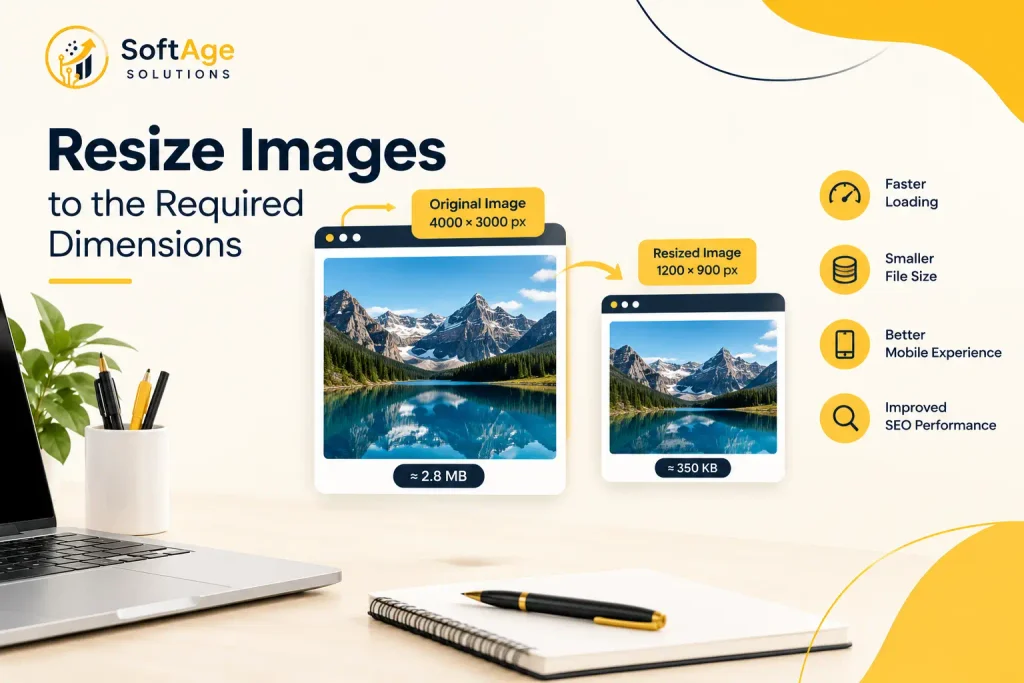
Image dimensions are the width and height in pixels. If a blog column displays images at 800 pixels wide, uploading a 4000-pixel original forces every visitor to download far more pixel data than the layout can use.
Resize to the largest size the design actually displays, and allow extra resolution for sharp screens where needed. A file 1600 pixels wide often covers a full-width image on a standard layout, though your theme may need more or less.
Keep the aspect ratio, which is the proportion between width and height, so images do not look stretched.
Use Descriptive Image File Names
A file name is a small but useful piece of context. Name files before uploading, using lowercase words separated by hyphens. The file name section below has examples.
Write Useful Alt Text
Alt text is the text description stored in the alt attribute of the HTML image element. Describe what the image shows in the context of the page. A full section on this follows.
Use Responsive Images
Responsive images let the browser pick the best file for the visitor’s screen. Two attributes make this work.
- srcset lists several versions of the same image at different widths.
- sizes tells the browser how wide the image will display, so it can choose correctly.
html
<img
  src="technical-seo-audit-800.webp"
  srcset="technical-seo-audit-400.webp 400w,
          technical-seo-audit-800.webp 800w,
          technical-seo-audit-1200.webp 1200w"
  sizes="(max-width: 700px) 100vw, 800px"
  width="800" height="533"
  alt="SEO specialist reviewing a website technical audit">
The picture element goes a step further. It lets you offer AVIF first, WebP second, and JPEG as the final fallback.
html
<picture>
  <source srcset="laptop-bag.avif" type="image/avif">
  <source srcset="laptop-bag.webp" type="image/webp">
  <img src="laptop-bag.jpg" width="800" height="800" alt="Black leather laptop bag with brass zip">
</picture>
Always include width and height on the image element. Browsers use them to reserve space and prevent layout shifts.
Implement Lazy Loading Correctly
Lazy loading delays an image until the visitor scrolls close to it. It saves bandwidth for images below the fold and speeds up the first view of the page. Modern browsers support it through the loading attribute.
html
<img src="team-photo.webp" loading="lazy" width="600" height="400" alt="Team members at a planning meeting">Lazy loading suits images lower on the page. It should not be applied to everything, as the next step explains.
Prioritize Important Above the Fold Images
Above the fold images are the ones visible without scrolling. Below the fold images sit further down. The main hero image is often the LCP element, and lazy loading it delays the very thing you want to appear first.
Load these images eagerly, which is the browser default, and use the fetchpriority attribute to signal importance.
html
<img src="hero-banner.webp" fetchpriority="high" width="1200" height="600" alt="Workspace with a laptop showing website analytics">The decoding attribute can also help. Setting it to async lets the browser decode an image without blocking other rendering work, and it suits most images that are not critical to the first view.
Use a CDN When Appropriate
A content delivery network, or CDN, stores copies of your files on servers in many locations and serves each visitor from a nearby one. That shortens delivery time, especially for audiences spread across regions.
An image CDN goes further. It can resize, compress, and convert formats on the fly based on the requesting device. This is useful for large sites, though a small local business serving a single region may not need one.
Configure Browser Caching
Browser caching tells returning visitors’ browsers to keep a copy of an image instead of downloading it again. Set long cache lifetimes for images that rarely change, and use versioned file names when you replace an image so visitors receive the new one. Slow server response time can also delay images, so check hosting performance alongside caching.
Improve Image Delivery
Image delivery covers everything between your server and the visitor’s screen: hosting speed, CDN use, caching, format selection, and file size. A perfectly compressed image still loads slowly from an overloaded server, so treat delivery as part of the same job as compression.
Create an Image Sitemap When Appropriate
An image sitemap helps Google find images it may not discover through normal crawling, such as images loaded by JavaScript. You can add image entries to your existing XML sitemap. Google’s current documentation only requires the image location tag, and several older optional tags are no longer used.
Many sites do not need a separate image sitemap because images in standard HTML are found during crawling. Consider one if images are central to your business or load in unusual ways.
Use Relevant Image Context
Search engines look at the text around an image. A photo of a leather bag placed inside a paragraph about leather care makes more sense than the same photo dropped in at random. Place images close to the text that explains them, and make sure headings and captions match the subject.
Add Captions When They Help Users
Captions are read more often than body text on many pages. Use them when they add information, such as explaining a chart or naming a product model. Skip them when they would only repeat the alt text.
Prepare Images for Mobile Devices
Test on a real phone. Check that images fit the screen without sideways scrolling, that tap targets around them are usable, and that the page loads quickly on a mobile connection. Responsive image sizes, sensible compression, and correct lazy loading do most of the work.
What Is the Best Image Format for SEO?
No format wins in every situation. The right choice depends on what the image shows and which browsers you support.
| Image Format | Best Use | Advantages | Limitations |
|---|---|---|---|
| JPEG | Photographs and complex images | Universal support, small files for photos, adjustable quality | No clear background option, lossy, visible artifacts at high compression |
| PNG | Graphics that need a clear background, screenshots, sharp text | Lossless quality, supports alpha channel backgrounds | Large files for photos |
| WebP | Photos and graphics on most modern sites | Often smaller than JPEG and PNG, supports clear backgrounds and animation | Slightly less compatible with very old software |
| AVIF | Photos where the smallest file size matters | Often smaller than WebP at similar quality, strong compression | Slower to encode, support and tooling still vary |
| SVG | Logos, icons, simple illustrations | Stays sharp at any size, tiny files, editable | Unsuitable for photographs, needs careful handling of embedded code |
| GIF | Very short simple animations | Works everywhere | Large files, limited colors, poor for anything beyond small animations |
Rules of thumb:
- WebP vs JPEG: WebP files are often smaller at comparable quality, so it is usually a good choice. JPEG remains a dependable fallback.
- WebP vs PNG: WebP can replace PNG for most web graphics and still support clear backgrounds, with smaller files.
- AVIF vs WebP: AVIF often compresses better, but WebP is easier to produce and has broader tooling. Many sites serve AVIF first with WebP as backup.
- Animations: Short video formats usually beat GIF on size. Use GIF only when nothing else fits.
Google Search supports BMP, GIF, JPEG, PNG, WebP, SVG, and AVIF, so format choice is mostly a performance decision, not an indexing restriction.
Image SEO and Core Web Vitals
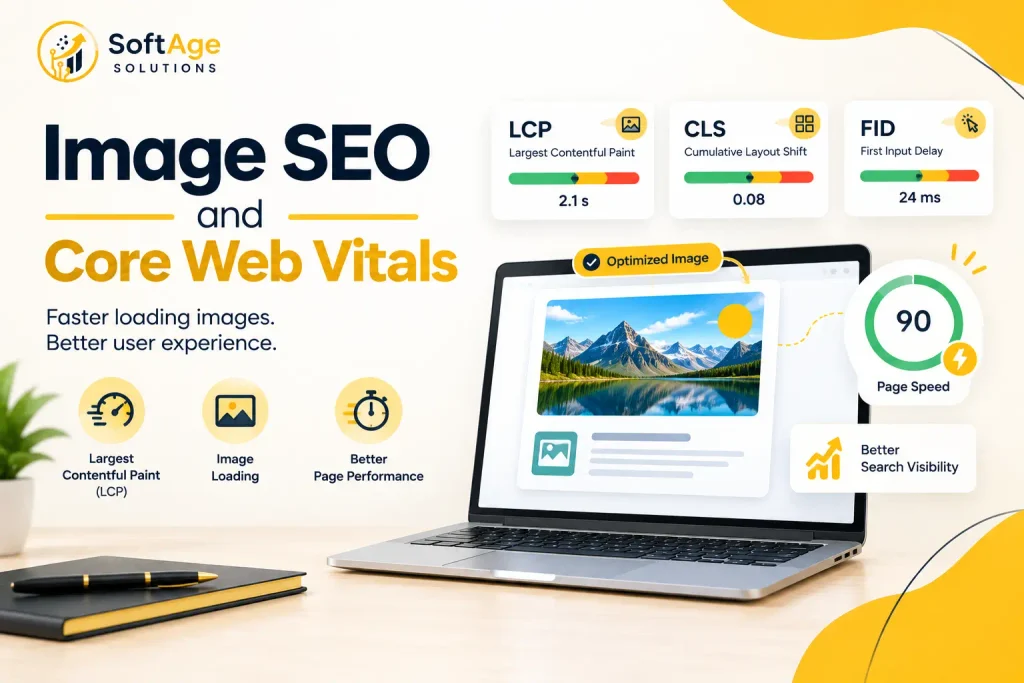
The relationship between images and Core Web Vitals is mostly about LCP and CLS. Improving them does not guarantee a ranking change, but it does improve how the page feels, and that matters for conversions.
Here is how each image decision affects loading:
- Image loading order: If the LCP image is discovered late, for example because it loads through JavaScript or a CSS background, the browser starts downloading it later. Put important images in the HTML with a normal image element.
- Image dimensions: Width and height attributes reserve space and prevent layout shift.
- Responsive images: Sending a smaller file to a phone reduces download time and can shorten LCP.
- Image compression: Smaller files download sooner.
- Lazy loading: Correct on lower images, harmful on the LCP image.
- Render priority: The fetchpriority attribute tells the browser which image matters most.
- Image delivery: A CDN and good caching reduce waiting time before the image starts to arrive.
To measure results, use PageSpeed Insights, the Core Web Vitals report in Google Search Console, and Chrome DevTools. Field data from real visitors is more reliable than a single lab test.
How to Write SEO Friendly Alt Text
Alt text is a short written description of an image, placed in the alt attribute, that screen readers read aloud and search engines use to understand the image.
Alt text exists first for accessibility. A person using a screen reader hears it in place of the picture. Search engines also use it as one input when working out image meaning. It will not lift rankings by itself, but clear descriptions support accessibility and image understanding, which are both part of good image SEO.
What Makes Alt Text Useful
- It describes what the image shows and its purpose on the page.
- It is specific without being long. There is no fixed limit, and about 125 characters is a common working guideline because some screen readers handle longer text poorly.
- It reads naturally when spoken aloud.
- It avoids starting with “image of” or “picture of”, since screen readers already announce an image.
Alt Text Examples
| Quality | Alt text |
|---|---|
| Poor | SEO SEO SEO image |
| Poor | seo services best seo company cheap seo |
| Acceptable | SEO audit |
| Better | SEO specialist reviewing a website technical audit |
| Better for a product | Red running shoe with white sole, side view |
When an Image Is Decorative
Some images add no information, such as a divider line or a purely stylistic background shape. Give these an empty alt attribute, meaning alt with nothing between the quotes. Screen readers then skip them, which is better than reading out meaningless text.
Should Every Image Have Alt Text?
Every informative image should. Decorative images should carry an empty alt attribute. A missing alt attribute is different from an empty one, and a missing one is the mistake to avoid.
Common Alt Text Mistakes
- Stuffing keywords into the description
- Repeating the same phrase on every image
- Writing a full paragraph
- Leaving the field blank on informative images
- Describing something the image does not show
Write for the person who cannot see the image. If the text helps them, it will usually help search engines too.
Image File Names and SEO
File names are a small signal, but they help with organization and give search engines a first hint about the subject. Descriptive names also make a media library far easier to manage.
| Weak file name | Better file name |
|---|---|
| IMG12345.jpg | local-seo-services.jpg |
| IMG_7845.jpg | technical-seo-audit.jpg |
| Screenshot2026.png | search-console-coverage-report.png |
| final_final2.webp | black-leather-laptop-bag.webp |
Guidelines:
- Use lowercase letters.
- Separate words with hyphens, since Google treats hyphens as word separators.
- Describe the image in a few words.
- Avoid spaces, special characters, and long strings of keywords.
- Keep file names consistent across the site.
Renaming files after publication changes the image URL, so set up redirects or update every reference if you rename existing images.
Common Image SEO Mistakes
- Uploading oversized images. A phone photo straight from a camera can exceed several megabytes.
- Using unnecessarily large dimensions. Pixels the layout never displays are wasted bytes.
- Ignoring mobile users. Testing only on a desktop monitor hides the real cost.
- Using the wrong file format. A photograph saved as a PNG or a logo saved as a blurry JPEG are typical cases.
- Missing alt text where it is needed. Informative images without descriptions fail accessibility checks.
- Keyword stuffing alt text. It reads badly and offers nothing to the user.
- Using vague file names. They waste a free context signal and slow down media management.
- Lazy loading important above the fold images. This often delays LCP.
- Ignoring Core Web Vitals. Problems stay hidden until someone measures them.
- Uploading duplicate images. Several copies of the same file waste storage and caching efficiency.
- Failing to test image performance. A change that looks fine on a fast office connection can be slow elsewhere.
- Poor image quality from excessive compression. Smaller is not always better if the picture looks damaged.
How to Audit Image SEO
An image audit shows where files are heavy, missing information or slowing the page. Here is a practical process.
- Crawl the site. Use a crawler to list every image with its size, format, dimensions, alt text, and file name.
- Sort by file size. Start with the heaviest images and the pages that get the most traffic.
- Compare file dimensions with display dimensions. Flag images that are far larger than the space they fill.
- Check formats and compression. Look for PNG photos, uncompressed JPEGs, and chances to serve WebP or AVIF.
- Review alt attributes and file names. Find missing, duplicated, or vague entries.
- Test responsive behavior. Resize the browser and check on real phones that the right file sizes load.
- Check lazy loading. Confirm that the LCP image loads eagerly and lower images are lazy loaded.
- Measure LCP and mobile performance. Use PageSpeed Insights and Search Console field data, and identify which element is the LCP on key pages.
- Check image indexing. Search Console and a site search in Google Images can reveal whether important images appear.
- Find broken image URLs. A crawler will report images that return errors.
- Review the sitemap. Confirm that important images are covered if you use an image sitemap.
- Inspect delivery and caching. Check response headers for cache lifetimes, and confirm the CDN serves images correctly.
This audit fits naturally inside a wider technical SEO audit, because crawlability, rendering and performance issues often overlap.
Image SEO for Ecommerce Websites
Ecommerce stores depend on images more than most sites. Shoppers cannot touch the product, so photos carry the decision.
- Product images: Use clear, well-lit photography on a consistent background. Sharp detail matters more here than on a blog.
- Multiple angles: Offer front, back, side, detail, and in-use shots. Each image can also appear in image search.
- Product thumbnails: Thumbnails on category pages should be small files, not scaled-down full-size images. Loading twenty large photos to show twenty small squares is a common cause of slow category pages.
- Image quality: Compress carefully. Product buyers notice softness and artifacts.
- Page performance: Serve the main product image with high priority, and lazy load thumbnails and gallery images lower on the page.
- Alt text: Describe the product accurately, including color, type, and angle. Avoid repeating the full product title on every image.
- Product structured data: Product schema markup, which is code that describes a product to search engines, can include image URLs. Make sure the images referenced in the markup are crawlable and match what shoppers see.
- Mobile shopping experience: Test galleries, zoom, and swipe behavior on phones, since most browsing happens there for many stores.
- Image search visibility: Use descriptive file names, keep images crawlable, and make sure product pages are indexable.
Also check the Open Graph image, the picture that appears when a page is shared on social platforms. A well-chosen social sharing image improves how links look when shared.
Image SEO for WordPress Websites
WordPress creates several sizes of each uploaded image automatically and adds responsive image attributes by default, so the foundation is already reasonable. Problems usually come from what gets uploaded and how themes and plugins behave.
- Media library: Rename files before uploading, write alt text in the media library fields, and remove unused files periodically.
- Resizing: Upload images near the size your theme displays. WordPress can generate smaller copies, but a huge original still sits on the server and may be served in some layouts.
- Compression: Compress before upload, or use a plugin that compresses on upload. Choose settings that keep quality acceptable, and test the result.
- WebP and AVIF: Recent WordPress versions support WebP uploads, and support for AVIF has been added too. Check your version and hosting for exact behavior, and confirm the output in the browser.
- Lazy loading: WordPress adds the loading attribute to images by default and tries to avoid lazy loading the first images. Themes and page builders can override this, so check that your hero image is not lazy-loaded.
- Responsive image behavior: Themes that use CSS background images for banners bypass srcset. Use real image elements for important visuals.
- CDN: Many hosts and plugins offer image delivery through a CDN. Enable it when your audience is spread across regions.
- Plugin configuration: One well-configured plugin is better than three overlapping ones. Duplicate lazy loading or compression can cause conflicts and extra work for the server.
- Avoiding excessive plugins: Each plugin adds code. Decide what you truly need, test performance before and after, and remove what does not help.
Image SEO Checklist
| Task | What to check |
|---|---|
| Format | Correct format for photo, graphic, logo, or animation |
| Compression | Smaller file without visible artifacts |
| Dimensions | Image matches its display size, with allowance for sharp screens |
| File name | Short, descriptive, lowercase, hyphen-separated |
| Alt text | Specific description for informative images, empty for decorative ones |
| Width and height | Set on every image element |
| Responsive images | srcset and sizes in place where the layout changes |
| Lazy loading | On for lower images, off for the LCP image |
| Priority | fetchpriority set on the main above the fold image |
| Delivery | CDN and browser caching configured |
| Sitemap | Important images discoverable, image sitemap added where needed |
| Context | Image placed near relevant text, with a caption when useful |
| Mobile | Tested on real phones |
| Monitoring | LCP and CLS reviewed in PageSpeed Insights and Search Console |
FAQs
What is image SEO?
Image SEO is the practice of preparing images so they load quickly, display well on every device, and give search engines and screen readers clear context. It combines performance work with descriptive information, and it is also known as image optimization in SEO.
Why is image SEO important?
Images often make up most of a page’s weight, so they strongly affect loading speed, Core Web Vitals and mobile usability. They also create opportunities in Google Images. The effect on rankings is indirect and depends on many other factors.
What is the best image format for SEO?
No format is best in every case. WebP is a strong general choice, AVIF offers better compression where supported, JPEG suits photographs as a fallback, PNG suits sharp graphics, and SVG suits logos and icons.
Does image size affect SEO?
Yes, mainly through page speed and user experience. Large file sizes slow loading, while oversized dimensions waste bandwidth. Google does not reward a specific pixel size, so the goal is the smallest file that still looks good at its display size.
Does alt text help SEO?
Alt text helps search engines understand an image and is essential for accessibility. It is one signal among many, and it does not automatically improve rankings.
How long should image alt text be?
Keep it short and specific. About 125 characters is a common guideline, though there is no official limit.
Should every image have alt text?
Every informative image should. Decorative images should use an empty alt attribute so screen readers skip them.
Is WebP better than JPEG for SEO?
WebP files are often smaller than JPEG at similar quality, which helps speed. Search engines do not rank formats directly, so the benefit comes from faster loading.
Is AVIF better than WebP?
AVIF frequently compresses further, but encoding is slower, and tooling varies. Serving AVIF with a WebP fallback through the picture element is a common approach.
Does image compression reduce image quality?
Lossless compression does not. Lossy compression does, but at moderate settings the difference is often invisible. Excessive compression creates artifacts, so review the result before publishing.
How do images affect Core Web Vitals?
Large images slow LCP, and images without set dimensions cause layout shifts that raise CLS. Correct sizing, compression, priority and dimensions improve both.
How can I improve images for Google Images?
Use descriptive file names, useful alt text, relevant surrounding text, crawlable image URLs and good quality files. Make sure the page carrying the image is indexable, and consider structured data where it fits, such as Product markup.
What is an image sitemap?
It is an XML sitemap, or a section of one, that lists image URLs to help search engines find them. It is most useful when images load through JavaScript or are otherwise hard to discover.
Should I lazy load every image?
No. Lazy-load images below the fold, and load the main above-the-fold image eagerly, since it often determines LCP.
How can I check whether my image SEO is working?
Run PageSpeed Insights on key pages, review the Core Web Vitals report in Search Console, and crawl your site to check file sizes, dimensions, alt text, and file names. Then test on a real phone.
Conclusion
Good image SEO is a series of small, practical decisions. Choose an appropriate format, compress carefully, resize to the real display size, name files clearly, write honest alt text, and deliver the right file to each device. Then measure the result instead of assuming it worked.
None of these steps guarantees rankings. Together, they make pages faster, easier to use, more accessible, and easier for search engines to understand, and they open a path to visibility in Google Images. That is the practical value of image optimization in SEO.
Some sites need more than a checklist. Large catalogs, JavaScript-heavy templates, and slow hosting can hide image problems that only a full review will find. If you want help with an image audit, technical fixes, or wider on-page work, the team at Softage Solutions offers SEO services for business websites. It can review where your images are costing you speed and visibility.