
Web development applications are software programs that people use through a web browser. You log in, enter data, get results and come back later to find your information saved. A booking system, a customer portal, and an online dashboard are all examples.
This is different from a basic company website, which mainly shows information. Web application development is the work of planning, designing, building, testing, and maintaining these programs. This guide explains how they work, which technologies they use, what the process looks like, and what affects cost, so you can make informed decisions before you speak to a developer.
What Are Web Development Applications?
A web application is software that runs on a server and is used in a browser. Users do not install anything. They open a web address, sign in, and use the features.
What sets it apart from a simple website is interaction. A web application accepts input, processes it, stores data and shows results that depend on who is using it.
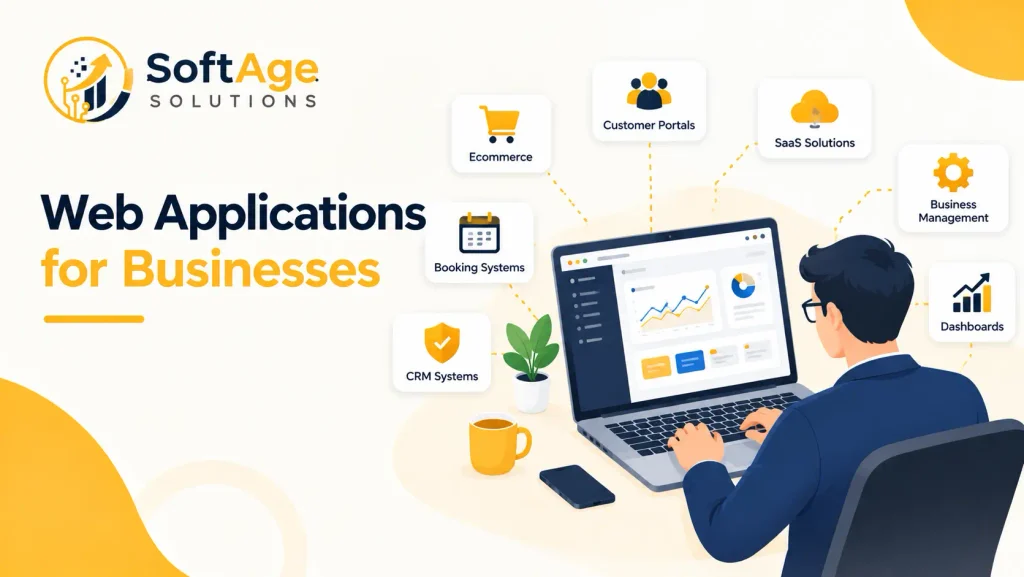
Common examples include:
- Customer portals where clients view orders, invoices, or documents
- Online banking and payment platforms
- Ecommerce systems with carts, accounts, and order tracking
- Booking and appointment systems
- Project management platforms
- CRM systems that store customer records
- Business dashboards that display reports
- Learning platforms with courses and progress tracking
- Healthcare portals for appointments and records
- SaaS applications, which are software products sold as online subscriptions
- Internal business systems for staff
These are general categories. They do not describe any specific company’s software.
Working of Web Development Applications
Several parts work together every time someone uses a web application.
- Frontend. This is what the user sees and clicks: pages, forms, buttons and menus. It runs in the browser.
- Backend. This is the logic on the server. It checks who the user is, applies business rules and decides what data to send back.
- Database. This is where information is stored, such as accounts, orders and messages.
- Server. This is the computer that runs the backend and sends responses to the browser.
- APIs. An API is a defined way for two pieces of software to talk to each other. The frontend uses an API to ask the backend for data. The backend may use other APIs to connect to payment or email services.
- Authentication. This confirms who the user is, usually with a login.
- Hosting and deployment. Hosting is where the application lives online. Deployment is the process of releasing new versions there.
A simple example: a customer opens a portal and signs in. The frontend sends the login details to the backend. The backend checks them against the database. If they are correct, it sends back that customer’s data, and the browser displays it.
Web Applications vs Websites
The line between them can blur, so it helps to compare four common types.
| Type | Main purpose | User interaction | Examples |
|---|---|---|---|
| Informational website | Share information | Reading, contact forms | Company site, brochure site |
| Database-driven website | Share content that changes | Browsing, search, comments | News site, blog, directory |
| Web application | Let users complete tasks | Accounts, data entry, workflows | Customer portal, booking system |
| SaaS platform | Provide software as a subscription | Accounts, plans, many users | Project management tool, CRM |
Many sites sit between these categories. An ecommerce store is a website that also behaves like an application once a customer signs in and checks out. The practical test is whether users do work inside the product, not only read it.
Types of Web Development Applications
Different applications solve different problems. These are the most useful groups.
- Ecommerce applications. Product catalogs, carts, payments, and order management. Useful when you sell online and need control over how the store works.
- Customer portals. A private area where customers view accounts, send requests or download files. Useful when support or billing questions take too much staff time.
- Business management applications. Tools for operations such as inventory, scheduling or reporting. Useful when spreadsheets and email have become hard to manage.
- SaaS applications. A product sold to many customers on subscription. Useful for companies building a software business.
- Booking and reservation systems. Availability, appointments and reminders. Useful for service businesses, clinics and venues.
- Learning platforms. Courses, quizzes and progress tracking. Useful for training companies and schools.
- Financial applications. Payments, account views and reports. These need strong security and careful handling of data.
- Healthcare applications. Appointment tools and patient portals. They carry privacy and compliance requirements that must be planned from the start.
- Internal business applications. Tools only staff use, such as approval flows or request trackers.
- Marketplace applications. Platforms where buyers and sellers meet.
- Content platforms. Systems where many authors publish and manage content. Good content writing is still needed to fill them.
- Real-time applications. Chat, live dashboards and collaboration tools where updates appear instantly.
You may also see “progressive web apps” and “single-page applications”. These describe how an app is built, not what it does. A progressive web app can be installed on a phone from the browser. A single-page application loads once and updates parts of the screen without full page reloads.
Core Technologies Used in Web Application Development
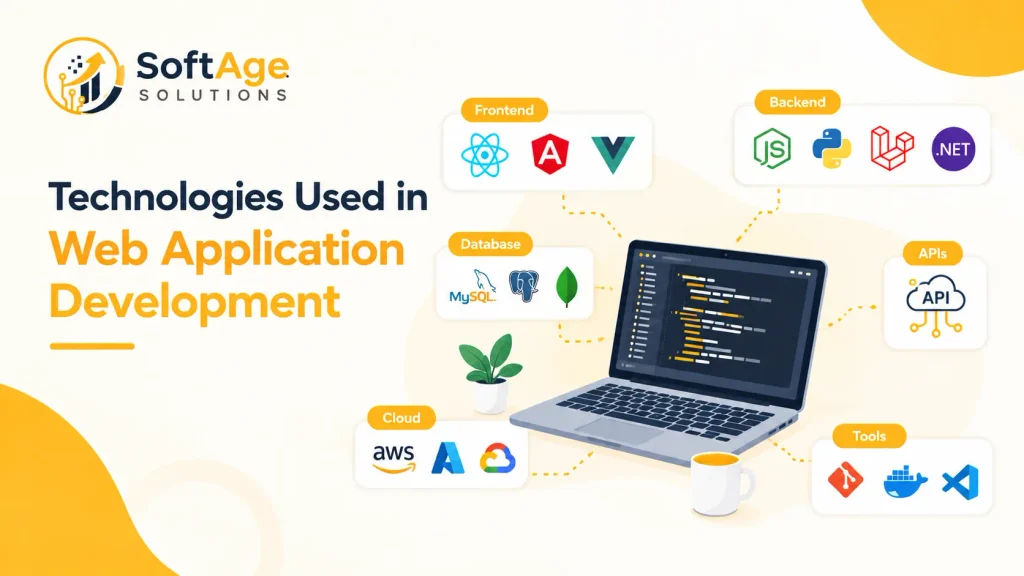
A technology stack is the set of tools used to build the application. Each part has a different role, and mixing the terms leads to confusion.
Frontend Technologies
- HTML structures page content.
- CSS controls how it looks.
- JavaScript is a programming language that adds behavior in the browser. TypeScript is a typed version of JavaScript that many teams use for larger projects.
- React is a JavaScript library for building user interfaces from components. It is not a full framework on its own.
- Next.js is a framework built on React. It adds routing, server rendering and other features.
- Vue is a JavaScript framework for building interfaces.
- Angular is a framework for large, structured applications and uses TypeScript.
- Svelte is a compiler-based framework that turns components into plain JavaScript at build time.
Backend Technologies
Here, it helps to separate four kinds of technology.
| Kind | Examples | What it is |
|---|---|---|
| Programming language | JavaScript, Python, PHP, Java, C# | The language code is written in |
| Runtime | Node.js | Lets JavaScript run on a server |
| Framework | Express.js, Django, Laravel, Spring Boot, ASP.NET Core | A structure and tools for building applications |
| Platform | .NET | A broader set of tools, libraries and runtime for C# and related languages |
In practice:
- Node.js with Express.js. Node.js is the runtime, and Express.js is the framework. Common for APIs and JavaScript teams.
- Django. A Python framework with many built-in features, including an admin area.
- Laravel. A PHP framework with a clear structure and good tooling.
- Spring and Spring Boot. A Java framework ecosystem. Spring Boot makes it faster to set up Spring applications. Common in large business systems.
- ASP.NET Core. A framework from Microsoft that uses C#. Often chosen by organizations that already run Microsoft systems.
Developers also use tools such as Visual Studio Code, which is a code editor, and Git, which tracks code changes. GitHub is a hosting platform for Git projects. These are not frameworks.
Databases
A database stores your application’s data. Common options include:
- MySQL and PostgreSQL, both relational databases that store data in structured tables.
- SQL Server, a relational database from Microsoft.
- MongoDB, a document database that stores flexible, JSON like records.
The choice depends on the data. Orders, customers and payments fit well in a relational database. Data with changing shapes may fit a document database. Neither is better in every case.
APIs and Third-Party Integrations
Most business applications connect to other services. Common connections include:
- Payment systems
- CRM platforms
- Email and messaging services
- Analytics tools
- Maps
- Shipping and delivery systems
- Login services such as single sign-on
- Existing business software
Each connection should be planned early. Ask what data moves, how often, what happens when the other service is down, and who maintains the connection.
Key Features of Modern Web Applications
Not every application needs every feature. Pick what matches the purpose.
- User accounts and authentication so people can sign in securely.
- Role-based access so staff, managers, and customers see different things.
- Dashboards that summarize information.
- Search and filters for finding records.
- Forms with checks on the data entered.
- Notifications by email or in the app.
- Payments for stores, bookings and subscriptions.
- Data management to create, edit and export records.
- Reporting for decisions and record keeping.
- File uploads for documents and images.
- Mobile-friendly interfaces that work on phones and tablets.
- Security controls such as logging and access limits.
A smaller feature list is often better for a first release. You can add more after real users try it.
Benefits of Web Application Development for Businesses
When planned well, a web application can help a business in practical ways:
- Customer access. Customers can reach information and services at any hour.
- Centralized information. Data lives in one system instead of spreadsheets and email.
- Process automation. Repeated tasks such as approvals and reminders can run automatically.
- Easier data management. Records are easier to find, update and report on.
- Better internal workflows. Staff follow the same steps and see the same status.
- Customer self-service. Customers can check orders or update details without calling.
- Connection with existing systems. An application can pass data to accounting, shipping, or CRM tools.
- Remote access. Teams can work from any location with a browser.
- Process visibility. Managers can see where work is stuck.
- Support for growth. A well-designed system can handle more users and more features over time.
These are possible benefits, not guarantees. Results depend on the design, the quality of the build, and how well the team uses the tool.
When Does a Business Need a Custom Web Application?
Custom development makes sense when ready-made software does not fit. Common signs are:
- Existing software does not match how your business works.
- Several systems need to share data and do not connect well.
- You have complex workflows that no standard tool handles.
- Customers need a private portal with their own data.
- Employees need an internal system built around your process.
- You want to launch your own SaaS product.
- Staff spend too much time on manual work in spreadsheets.
A standard website or off the shelf software may be enough when:
- You mainly need to share information and collect enquiries.
- A subscription tool already covers your process.
- Your needs are common, such as basic appointment booking.
- Your budget or timeline doesn’t support a custom build.
Buying software is often faster and cheaper than building it. Choose custom work when the gap between what you need and what exists is large and matters to your business.
Web Application Development Process
Teams follow different methods, but most projects cover these stages.
- Business and technical requirements. Define the goal, the users, and the must-have features.
- Project planning. Set scope, timeline, budget, and responsibilities.
- User and workflow analysis. Study how people will actually use the application.
- Architecture planning. Decide how the parts connect, including servers, data, and APIs.
- Technology selection. Choose languages, frameworks, database and hosting.
- UI and UX planning. Create wireframes and designs so the screens are clear and easy to use.
- Frontend development. Build the interface users see.
- Backend development. Build the logic, rules and server features.
- Database development. Design how data is stored and related.
- API integrations. Connect payment, email, CRM and other services.
- Security implementation. Add login controls, access rules and data protection.
- Testing and quality assurance. Check features, devices, performance and security.
- Deployment. Release the application to the live server.
- Monitoring. Watch for errors, slow pages and outages.
- Maintenance and updates. Fix issues, update software and add features.
Stages overlap in practice. Many teams release a first version, then improve it in cycles. Maintenance is not optional. Unmaintained software becomes a risk.
How to Choose the Right Technology Stack
No stack is best for every project. Weigh these factors:
- Project requirements. A content site, a store, and a data-heavy dashboard have different needs.
- Team expertise. A team that knows a technology well will usually build and maintain it more reliably.
- Performance needs. Consider expected users, data volume, and response time.
- Security requirements. Some industries need stricter controls and audit trails.
- Integration requirements. Check that the tools you must connect to have good support.
- Budget. Rare skills can raise cost. Common technologies are easier to staff.
- Maintenance. Look at update history, documentation, and community support.
- Hosting. Make sure the stack runs on the infrastructure you plan to use.
- Timeline. A framework with more built-in features may shorten early development.
- Long-term needs. Think about features you may need in two or three years.
Do not choose a technology because it is popular. Choose it because your team can build, secure and maintain it well. Our guide to web development frameworks goes deeper on comparing frameworks.
Web Application Security Considerations
A web application holds accounts and data, so security must be part of the build, not an add-on. Important areas include:
- HTTPS to encrypt data between the browser and server.
- Authentication to confirm who the user is.
- Authorization to control what each user is allowed to do.
- Secure passwords stored with proper hashing, never as plain text.
- Access control so users cannot see other users’ data.
- Input validation to stop harmful data entering forms and APIs.
- Data protection for sensitive information, in storage and in transit.
- API security with authentication and limits on requests.
- Dependency updates because outdated packages are a common weakness.
- Security testing before launch and after major changes.
- Backup and recovery so you can restore data after a failure.
A good starting reference for developers and decision makers is the OWASP Top Ten, which is an awareness document on the most serious web application security risks. No application is risk-free, so choose partners who treat security as ongoing work.
Web Application Performance and SEO
Many web applications sit behind a login, so search engines never see them. SEO matters most for public pages such as the home page, product pages, help content, and landing pages. If those pages are part of your application, technical choices affect them.
- Page loading and Core Web Vitals. Heavy scripts and large images slow pages down and hurt user experience.
- Rendering. If a page builds only in the browser, search engines must run JavaScript to see the content. Google processes JavaScript pages in stages of crawling, rendering and indexing, and its JavaScript SEO basics guide explains what that means for your pages.
- Crawlability and indexability. Links should be real links and pages should be reachable. Public pages should not be blocked by mistake.
- Mobile usability. Pages must work well on small screens.
- Structured data. Markup can describe products, articles, and organizations where it fits.
- Internal linking. Clear links help users and search engines find pages.
- Server response time. Slow servers delay every page.
No framework gives better rankings by itself. Results depend on how the pages are built and what content they contain. Our technical SEO work looks at crawling, rendering and site structure; on-page SEO covers titles, headings and page content, and off-page SEO covers links and mentions beyond your own site. Planning these together with development is easier than fixing them later.
Web Application Development for Different Business Types
- Small businesses. Start small. A booking tool, a simple portal, or an existing platform with light customization may be enough.
- Ecommerce businesses. Consider whether a hosted store platform meets your needs before building one. Custom work makes sense for unusual products, pricing rules or integrations.
- Startups. Focus on a first version with the core feature. Build for learning, then expand.
- SaaS companies. Plan accounts, billing, permissions and updates from the start, since many customers will use one system.
- Professional service companies. Client portals, document sharing and scheduling are common. A business with local clients should also think about local SEO for its public pages.
- Healthcare organizations. Privacy rules affect design, hosting and access. Plan compliance early with qualified advisors.
- Education businesses. Course delivery, progress tracking and payments are common needs.
- Financial businesses. Security, audit trails and strict access control come first.
- Enterprise organizations. Integration with existing systems, support for many users and long-term maintenance usually shape the project.
Web Application Development Cost
Cost varies widely, and I will not give a fixed number. Published price ranges often lack sources, and a quote only makes sense once the requirements are known.
Main cost factors:
- Features and complexity. More features and more rules take more time.
- Design. Custom design and user research add effort.
- Integrations. Each connection to another system adds work and testing.
- Security needs. Regulated data needs extra controls and review.
- Platform and technology. Some stacks need rarer skills.
- Testing. Complex applications need more thorough quality assurance.
- Timeline. Faster delivery may need a larger team.
- Hosting. Servers, storage and monitoring are ongoing costs.
- Maintenance. Updates, fixes and support continue after launch.
The best way to get a useful estimate is to write down what the application must do, who will use it and which systems it must connect to.
How to Choose a Web Application Development Company
Ask these questions when comparing companies:
- Technical expertise. Does the team have experience with the technologies your project needs?
- Portfolio. Can they show relevant work, and can they explain their role in it?
- Process. Do they have a clear approach to planning, building and releasing?
- Communication. How often will you receive updates, and who is your contact?
- Security practices. How do they handle authentication, data and testing?
- Testing. What checks happen before launch?
- Maintenance support. Who fixes issues after launch, and how?
- Documentation. Will you receive technical documents and access to your code?
- Understanding of your business. Do they ask about your goals, not only features?
- Scope and deliverables. Is the scope written down, with milestones?
Be careful of vague promises and one size fits all answers. A good company will ask questions and will tell you when you do not need something.
How SoftAge Solutions Helps With Web Application Development
SoftAge Solutions provides web development and SEO services. For a web application project, the team can discuss your requirements, the way users will work with the system, and the technology choices that may suit the project. Because search visibility depends on how pages are built, SEO considerations can be part of the planning conversation as well.
The right starting point is a clear description of what you need the application to do, not a list of technologies. SoftAge Solutions does not promise specific rankings, traffic, security, or performance outcomes, since these depend on the project and its implementation.
Common Web Application Development Mistakes
- Starting without clear requirements. Unclear goals lead to rework and delays.
- Choosing technology because it is popular. Fit matters more than trend.
- Ignoring security. Fixing security late costs more and risks data.
- Ignoring mobile users. Many users will open the application on a phone.
- Poor database planning. A weak data structure is hard to repair later.
- Weak testing. Bugs found by customers cost more than bugs found by testers.
- Ignoring maintenance. Software needs updates, fixes and monitoring.
- Poor API planning. Unstable connections cause failures in daily use.
- No backup strategy. Without tested backups, one failure can mean lost data.
- No performance testing. An application that works for ten users may struggle with a thousand.
- Building unnecessary features. Extra features add cost and complexity before anyone needs them.
FAQs
What are web development applications?
They are software programs built with web technologies and used through a web browser. Users sign in, enter data, and complete tasks without installing anything.
What is web application development?
It is the process of planning, designing, building, testing, releasing, and maintaining web applications. It covers frontend work, backend work, databases, and connections to other systems.
What is the difference between a website and a web application?
A website mainly shares information. A web application lets users do tasks, such as managing an account, placing an order or submitting data. Some sites combine both.
What technologies are used for web application development?
Common ones include HTML, CSS, and JavaScript on the frontend, with frameworks such as React, Vue or Angular. Backends use languages and frameworks such as Node.js with Express.js, Python with Django, PHP with Laravel, Java with Spring Boot or C# with ASP.NET Core. Databases include MySQL, PostgreSQL, MongoDB and SQL Server.
What is the best technology for web application development?
There is no single best option. The right choice depends on requirements, team skills, security needs, integrations, budget and long-term plans.
How long does web application development take?
It depends on scope, features, integrations, and testing. A small tool can take weeks, while a large platform can take many months. A written scope and a phased release help set a realistic timeline.
How much does a web application cost?
Cost depends on features, design, integrations, security needs, testing, hosting and maintenance. Request a quote based on written requirements instead of relying on general price ranges.
What is the difference between a web app and a mobile app?
A web app runs in a browser and needs no download. A mobile app is installed from an app store and can use some phone features more directly. Some projects use both.
Is React used for web application development?
Yes. React is a JavaScript library often used to build interfaces for web applications. It is commonly paired with a framework such as Next.js and a separate backend.
Is Node.js a framework?
No. Node.js is a JavaScript runtime that lets JavaScript run on a server. Express.js is a framework that runs on Node.js.
Can a web application be customized for a business?
Yes. Custom applications are built around a business’s workflows, users and systems. Existing platforms can also be customized, within their limits.
Are web applications secure?
They can be, but security depends on design, coding, testing, updates and how the application is run. No application is free of risk.
Does a web application need SEO?
Public pages, such as the home page, product pages and help content, can benefit from SEO. Pages behind a login usually do not appear in search results.
Conclusion
Web development applications let businesses offer services, manage data and connect systems through the browser. The best results come from a clear plan: know what the application must do, who will use it, which systems it must connect to, and who will maintain it after launch. Strong web application development also treats security, performance, and SEO as part of the build, not as extras.
If you are deciding between a ready-made tool and a custom build, start by writing down your requirements. Then compare the options honestly.
Discuss your web application requirements with SoftAge Solutions.